QueueCare: A medical care and emergency room registration app
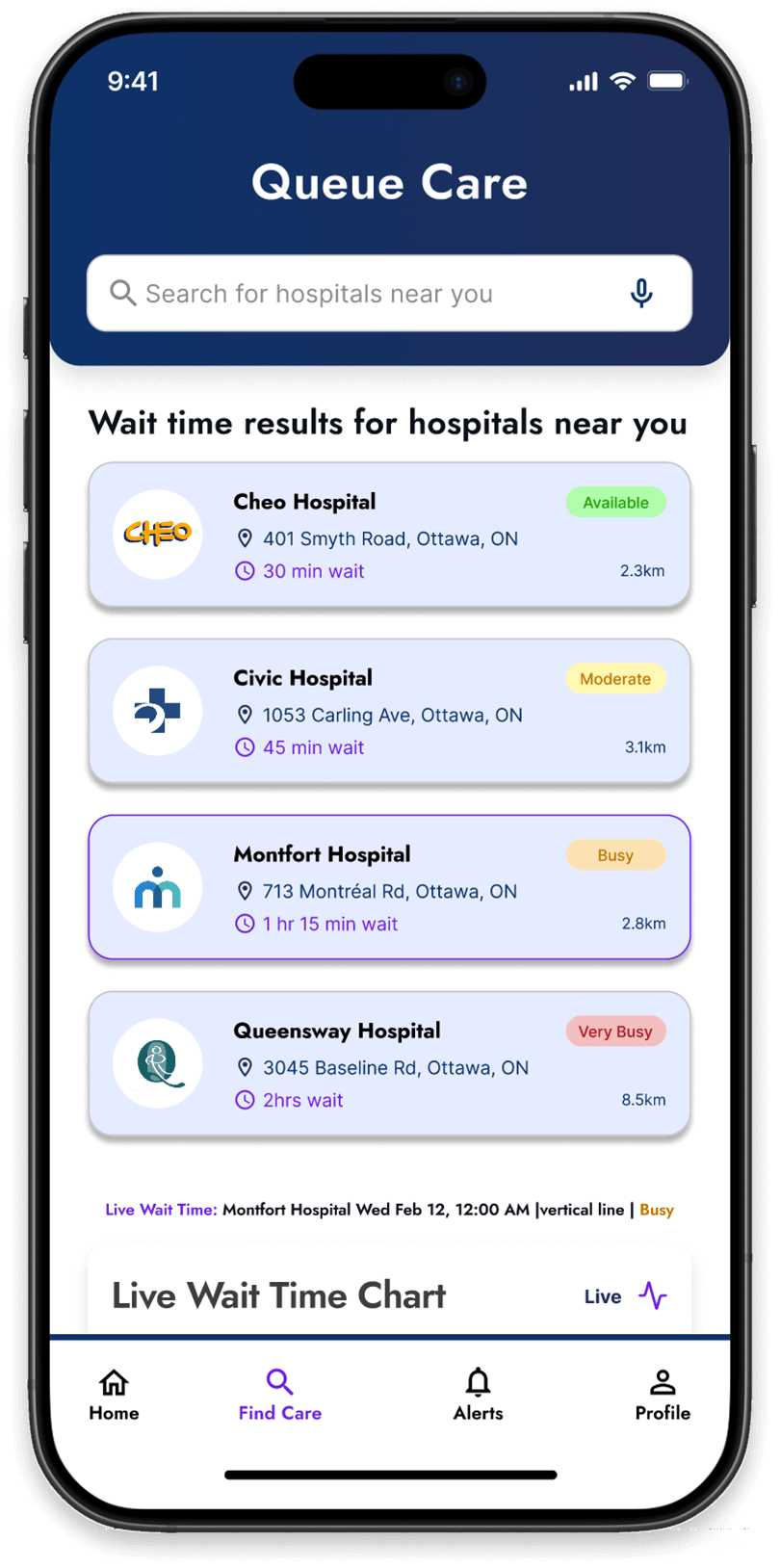
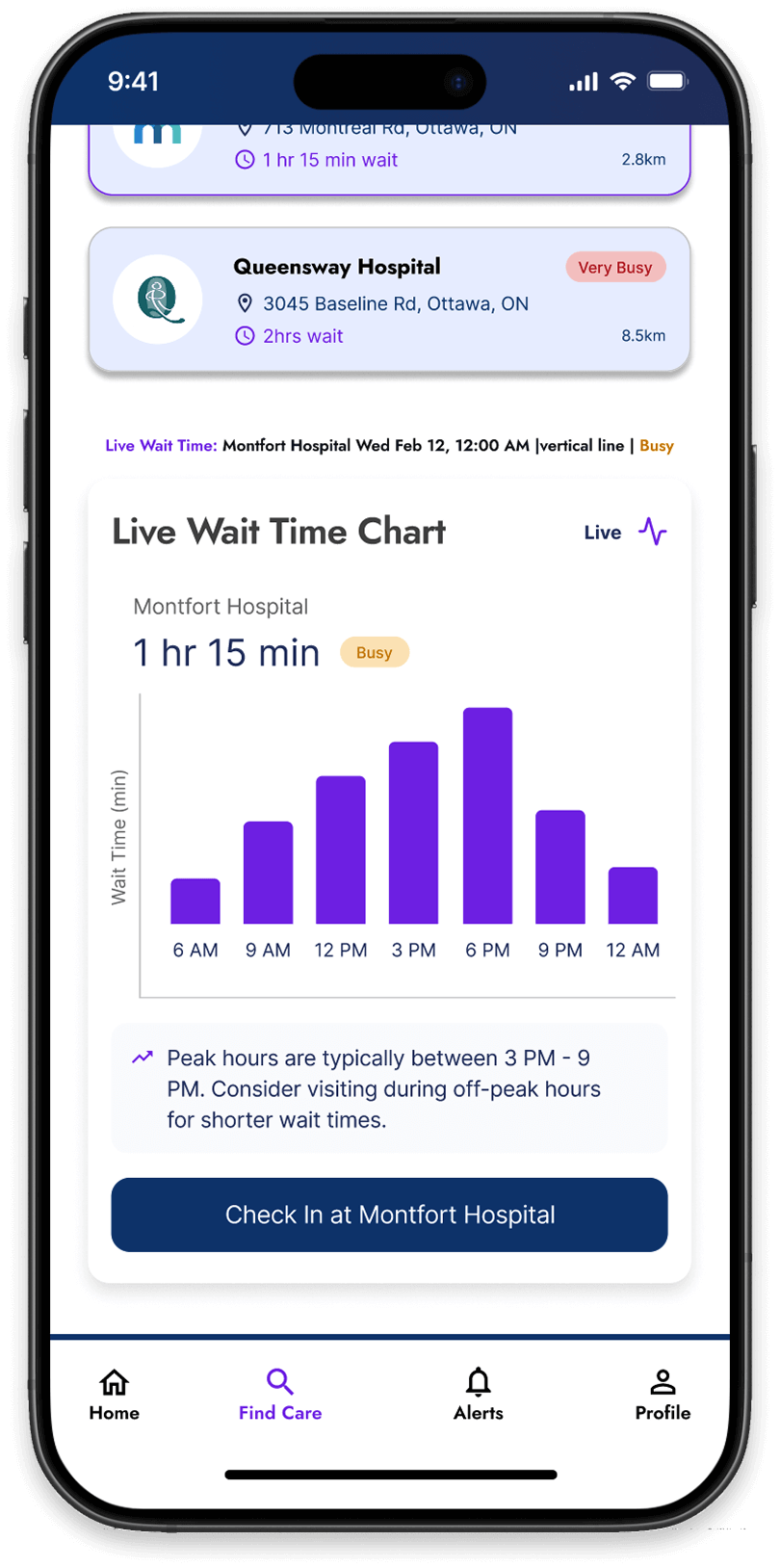
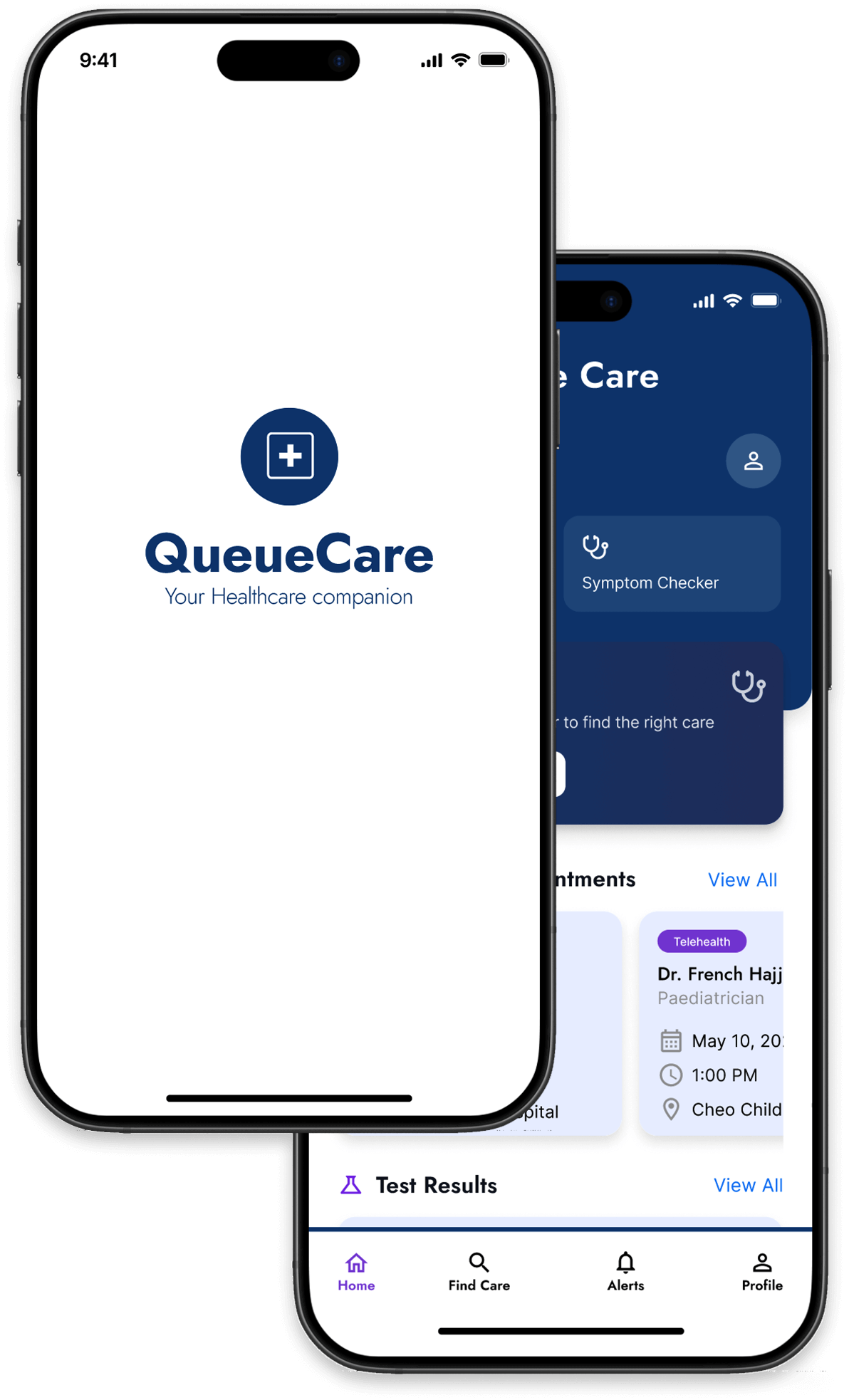
QueueCare is a mobile concept that helps patients make better decisions about where to seek care by showing real-time emergency room wait times, queue updates, and alternative care options. The project explores how transparency and simple triage guidance could reduce unnecessary ER visits while improving the patient experience during urgent health situations.
Healthcare and technology
Tackle one of Canada’s biggest issues (long ER wait times) in the form of an app.
7 Weeks
User research, product strategy, user flows, information architecture, wireframing, UI design, prototyping, usability testing
PowerPoint, Figma, Photoshop, Illustrator
Real problems call for real solutions
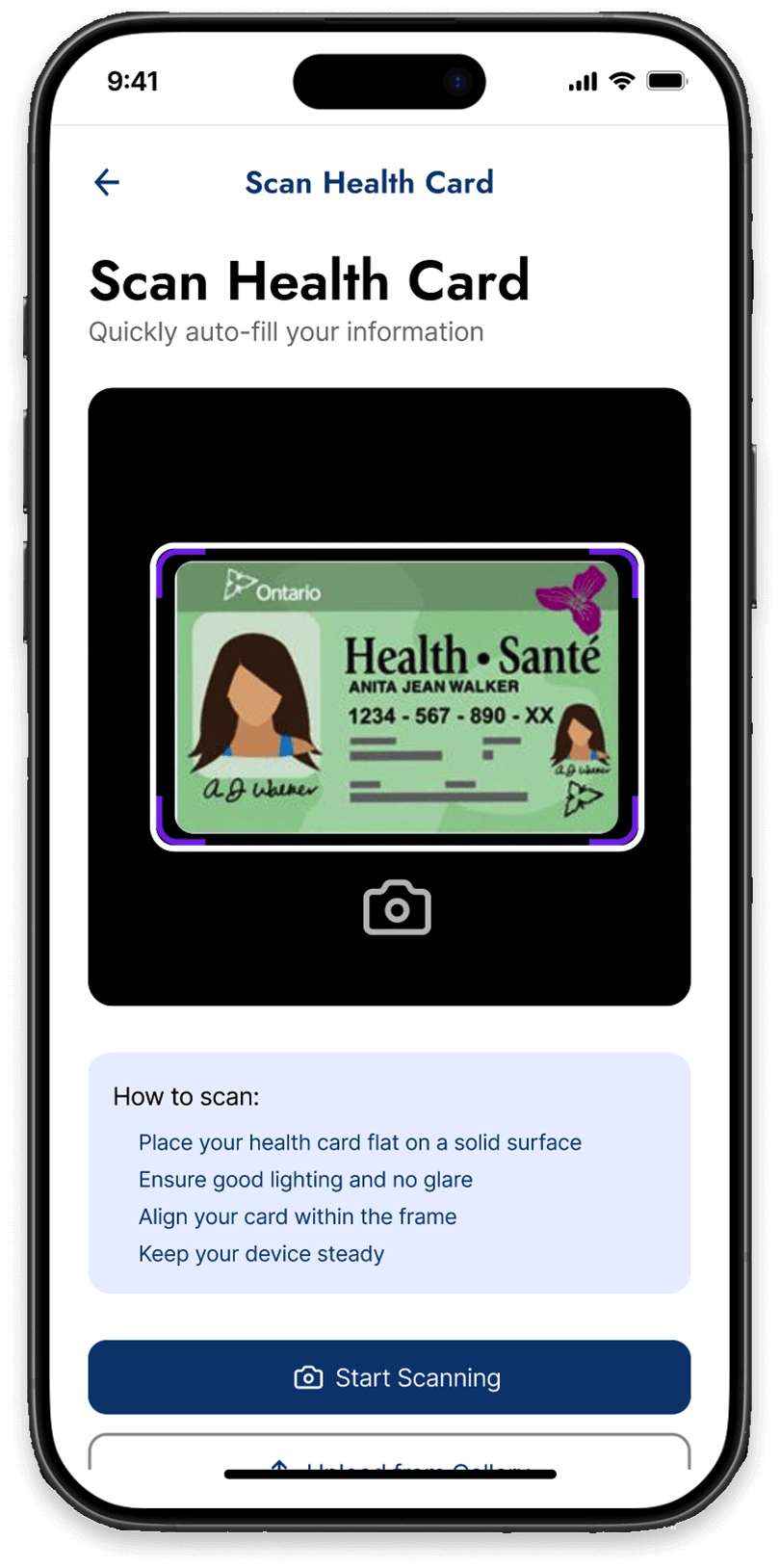
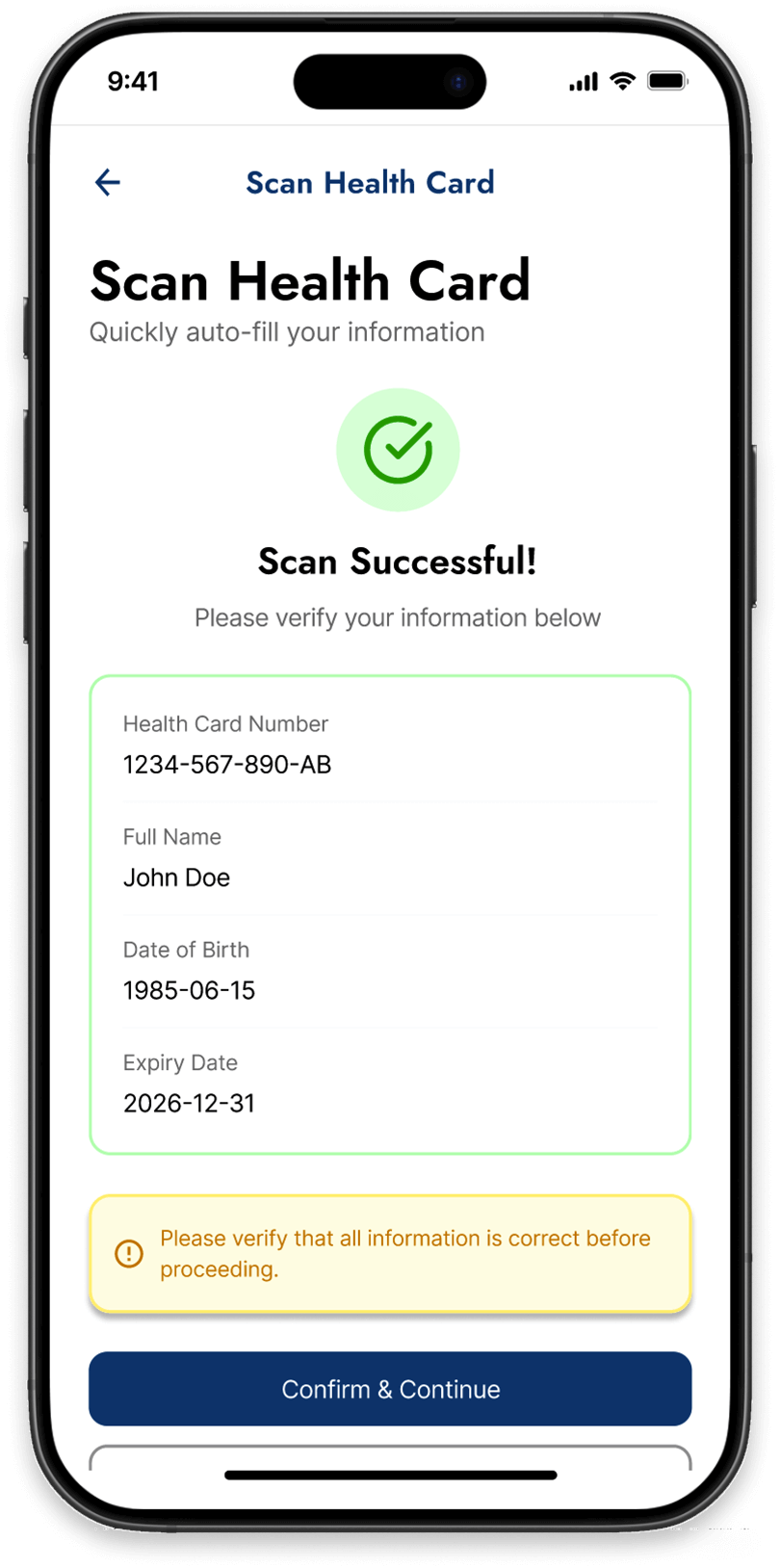
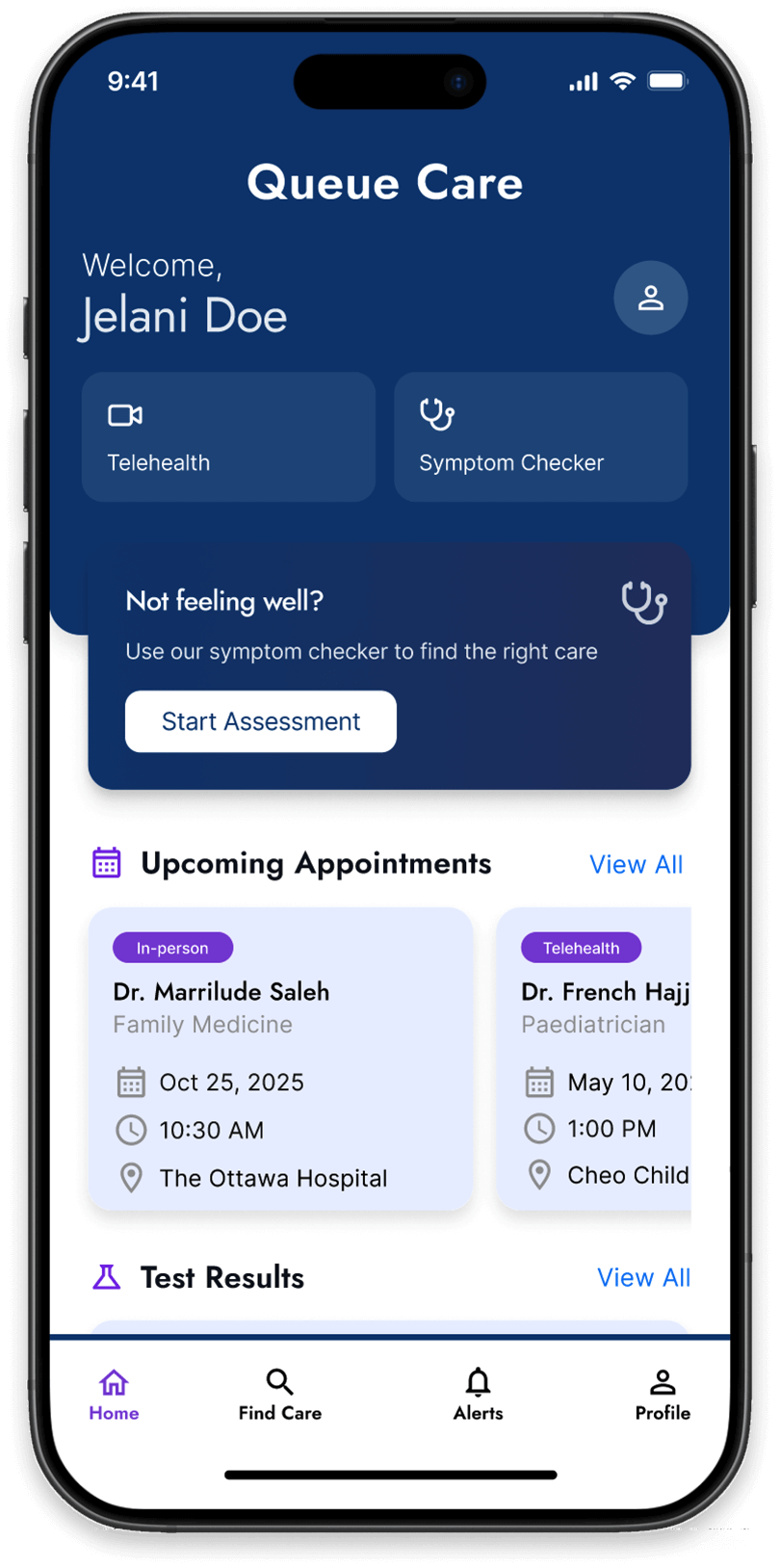
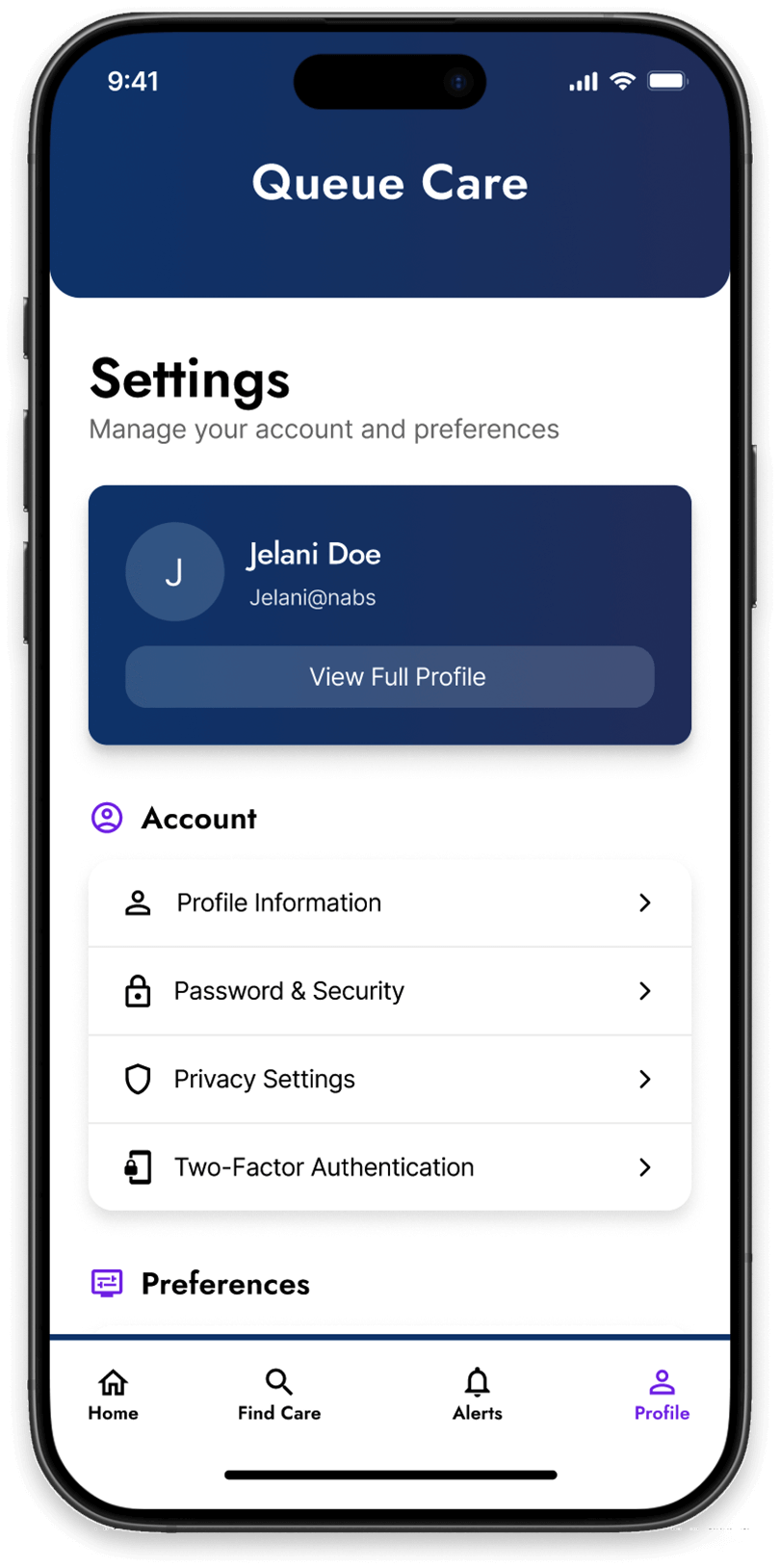
Queue Care is designed to help Ontario residents navigate the healthcare system by providing real-time ER and urgent care wait times. It reduces patient frustration by offering queue tracking, live delay notifications, and digital pre-registration for faster check-ins. A built-in symptom checker guides users on whether to visit the ER, a clinic, or use Telehealth services.
For hospitals, it improves triage management and reduces overcrowding by directing non-urgent cases to alternative care options. Inclusive and accessible, the app creates a more transparent and efficient healthcare experience for everyone.
The issue at hand
The Canadian government provides free healthcare; however, Canadians often face long wait times in return. Many patients without a family doctor or access to walk-in clinics turn to emergency rooms, often without knowing how long they’ll have to wait. As a result, they spend hours in uncertainty, without real-time updates leading to frustration, stress, and unnecessary ER visits for non-urgent cases. To reduce overcrowding and enhance the patient experience, hospitals need a transparent system that offers real-time wait-time updates and helps patients make informed decisions about where to seek care.
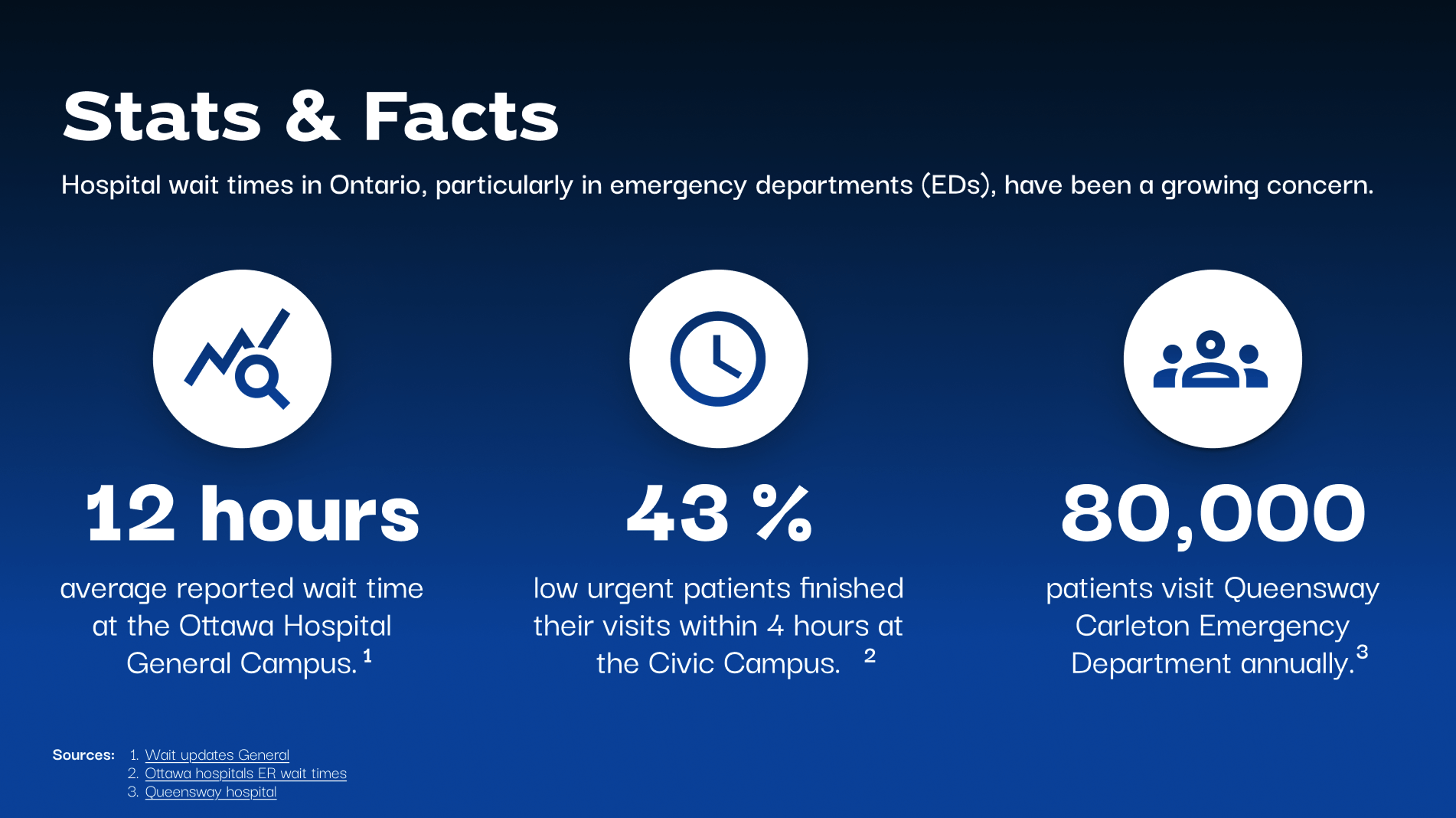
Understanding Healthcare Challenges
Part 1: Stakeholders
ii. Ontario residents with chronic conditions, minor injuries, or non-emergency concerns, and have limited access to a walk-in clinic.
iii. Ontario residents who require urgent health care after work hours.
ii. Healthcare workers manage the triage system at the hospital and often deal directly with frustrated patients.
iii. Emergency doctors and nurses who will potentially benefit from reduced overcrowding and better patient flow management.
ii. They care about data that could inform policy-making and health care resource allocation.
iii. They seek tools that enhance system-wide efficiency and patient outcomes.
Understanding Healthcare Challenges
Part 2:
ii. Introduce productive wait times with status updates, queue tracking, and delay notifications.
iii. Symptom checker or clinic triage for guidance on care options, if patient’s condition requires an ER visit or alternative health care options.
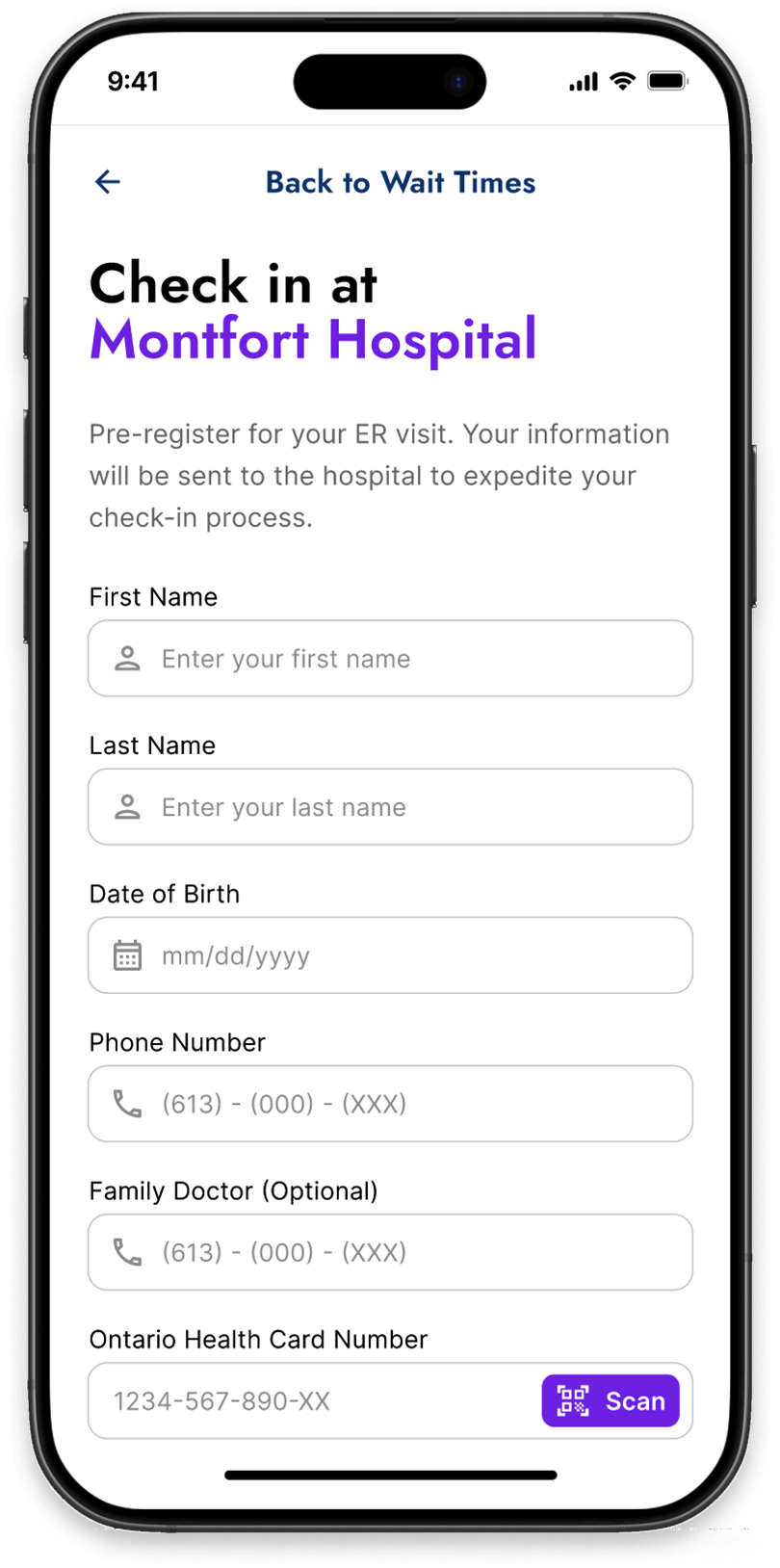
iiii. Digital pre-registration and check–in process where patients can input personal information and medical history ahead of time.
ii. Knowledge of alternative care options such as nearby urgent care clinics or virtual care.
iii. Assurance of transparency and efficiency of Ontario health care system triage process.
iiii. Innovative and future thinking experience focused on improving people’s lives, reducing ER overcrowding, and saving time.
ii. Symptom checker tool to guide patients in determining the urgency of their condition and alternative solution.
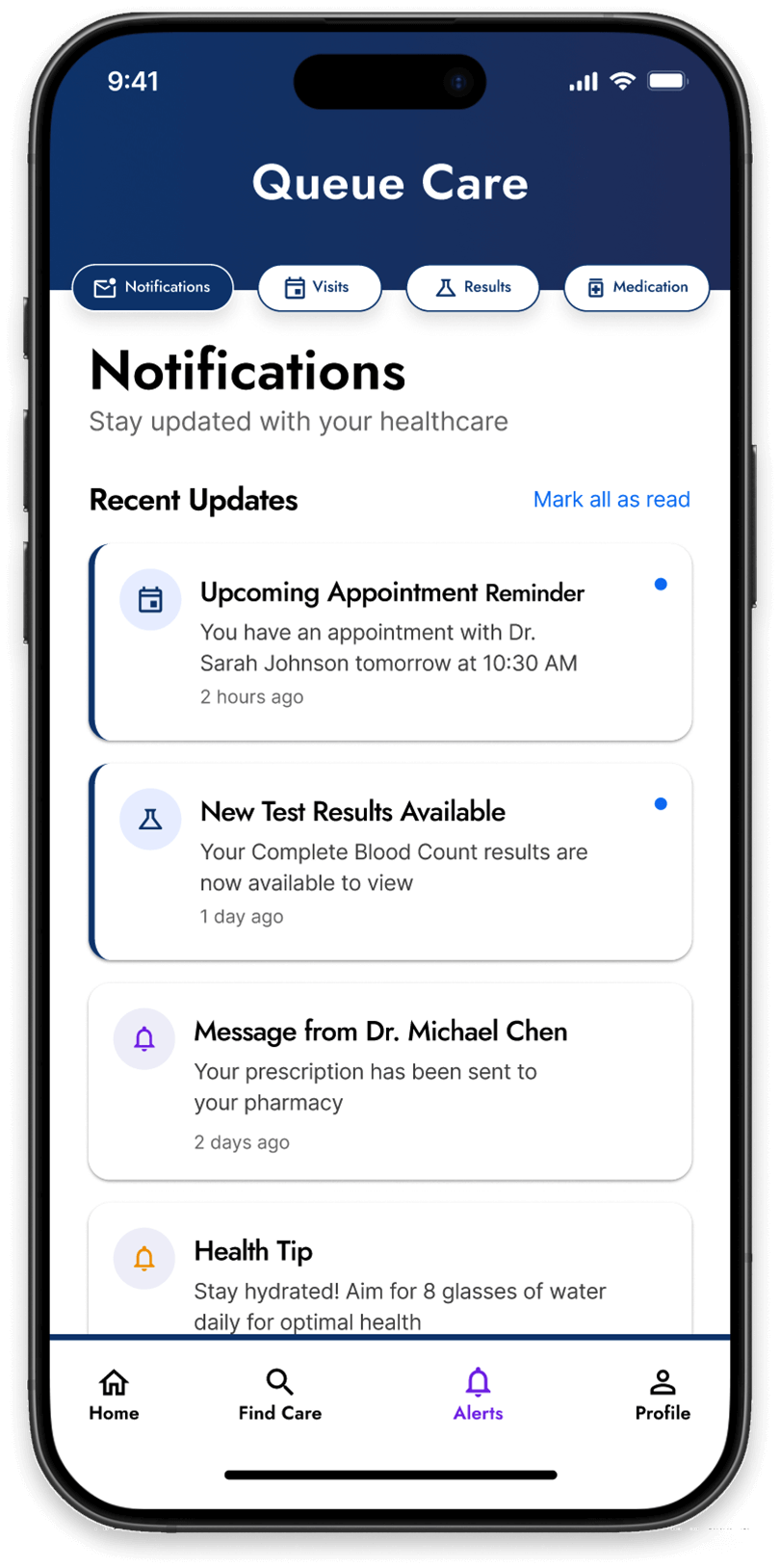
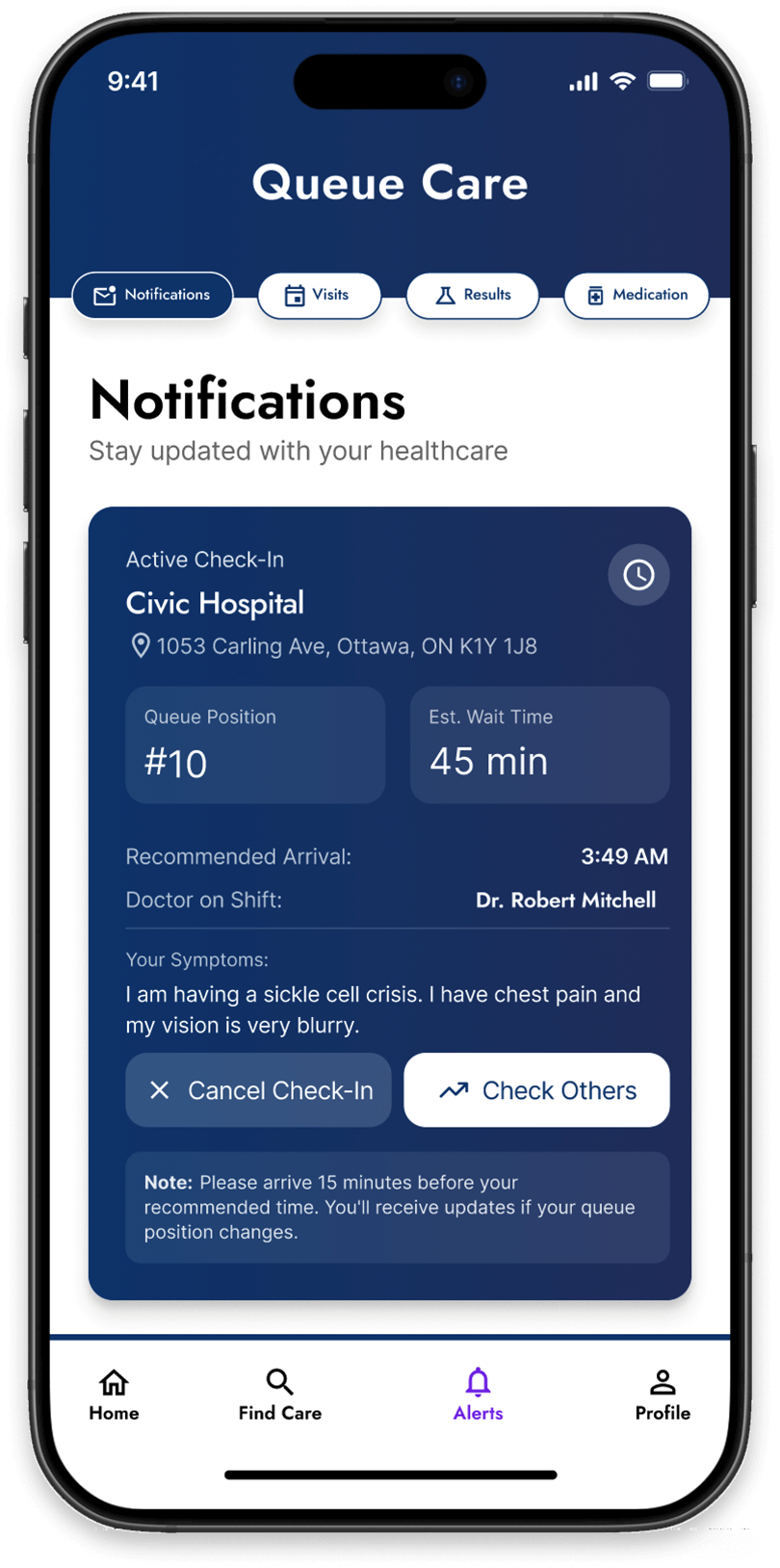
iii. Queue management that offers real–time updates on a patient’s position in the waiting queue and sends notifications about expected delays.
iiii. Multi–language and accessibility support for inclusive patient experience with integrated Telehealth services and option to book virtual consultations with licensed health care providers.
What do users want to achieve?
What do they want to achieve with this product? What need does it fill?

Know real-times ER wait times to make informed decisions about which location to visit.
Determine whether their health condition requires ER urgent care or virtual telehealth consultation.
Receive real-time notifications of position in queue and expected wait times.
Feel supported through real-time notifications of position in queue and expected wait times.
Access tailored health tips and symptoms resource guides for better decision-making.
Support to reduce ER overcrowding by choosing the appropriate option for their health condition.
Core Challenges and Frustrations

Long & unclear wait times
Patients visit ERs without knowing how long they’ll wait, leading to stress, frustration, anxiety, and sometimes, wasted time

Overcrowded ERs
ERs are mostly crowded and patients experience delays due to non-emergency cases overwhelming the ER

Accessibility barriers
Non-English or French speakers, as well as people with disabilities, face added barriers when they must wait for someone who understands their language or can help them complete hospital forms.

Alternative health care options
Many patients visit the ER because they are unaware of Telehealth services or other urgent health care alternatives available to them
Target Market Research

Age: 20 - 40
Gender: 49% female 51% male
Education: Elementary and higher
Occupation: Crew member
Annual Income: $30, 000+

1. Tech-savvy and open to using digital tools for convenience
2. Focused on staying healthy and activeAesthetic- and design-oriented
3. Prefers quick and convenient healthcare optionsTrend-conscious
4. Frequently uses apps and online tools for updates
5. Dislikes long waits and unclear processes
6. Wants transparency and control over their time

Ontario
Age: 50 - 80
Gender: 51% female, 49% male
Education: Degree or higher
Occupation: Manager
Annual Income: $70,000+
1. Cares about personal and family health
2. Dislikes waiting and uncertainty
3. Believes in fairness and quality in healthcare
4. Balances work, family, and health priorities
5. Expects good service and communication
Canada
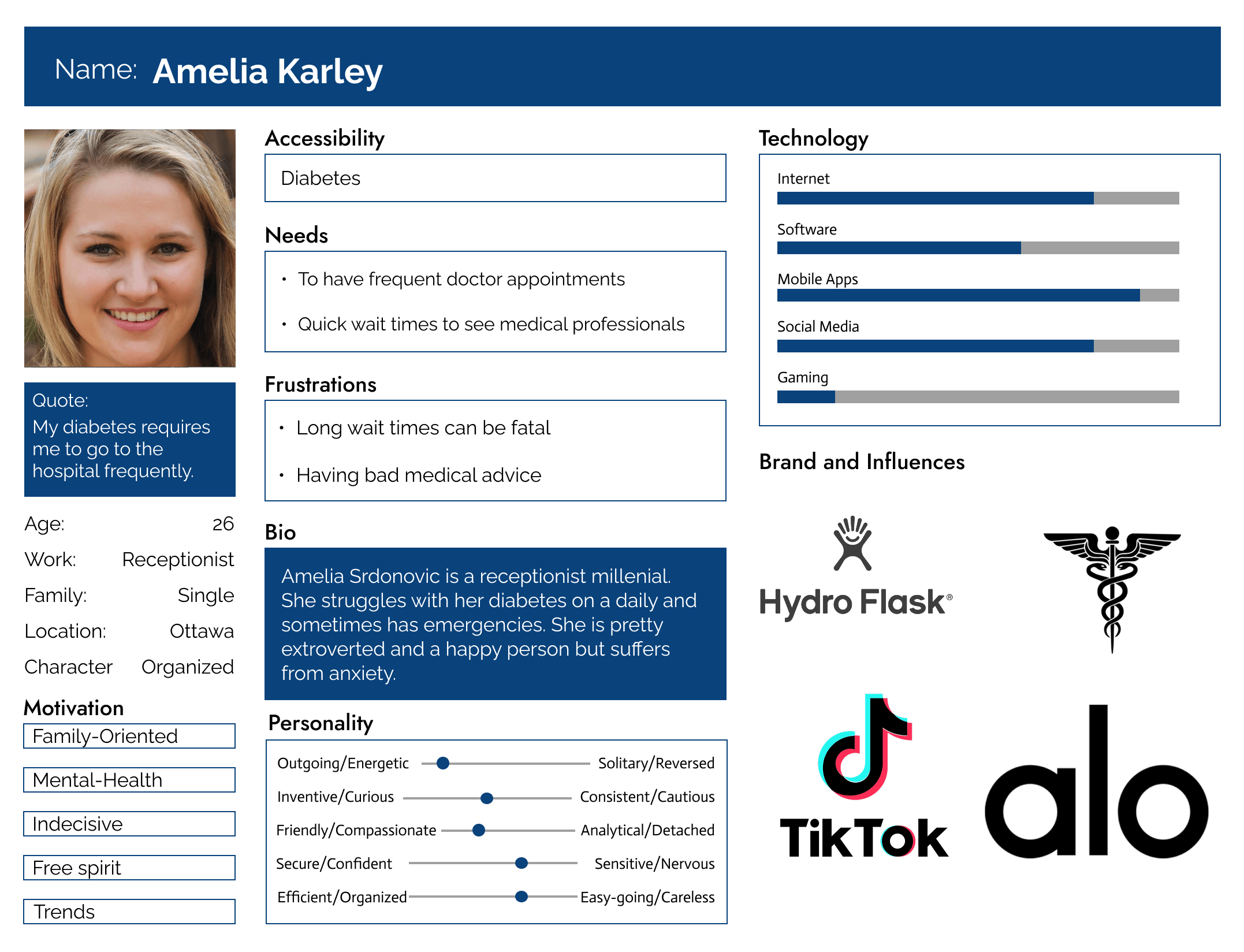
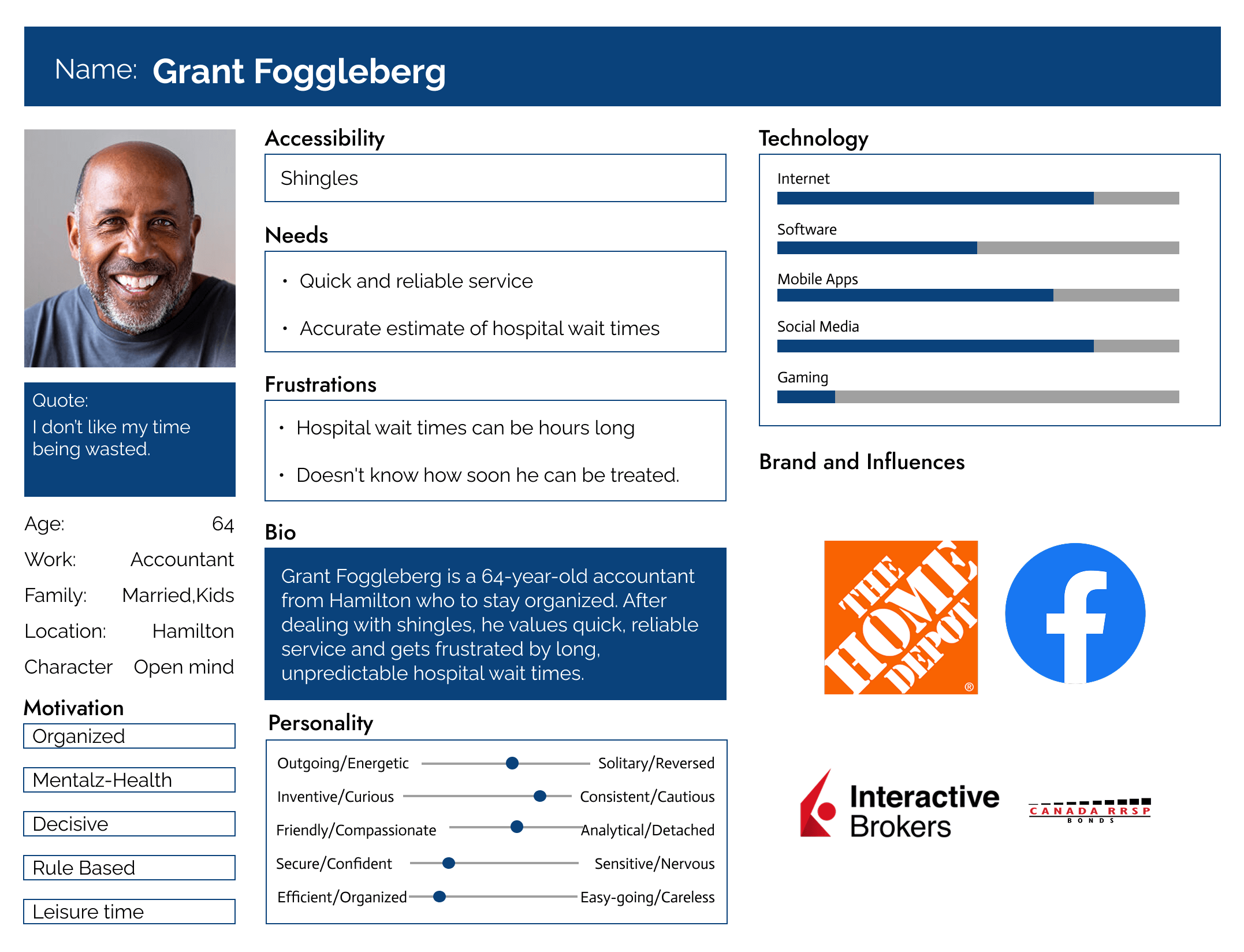
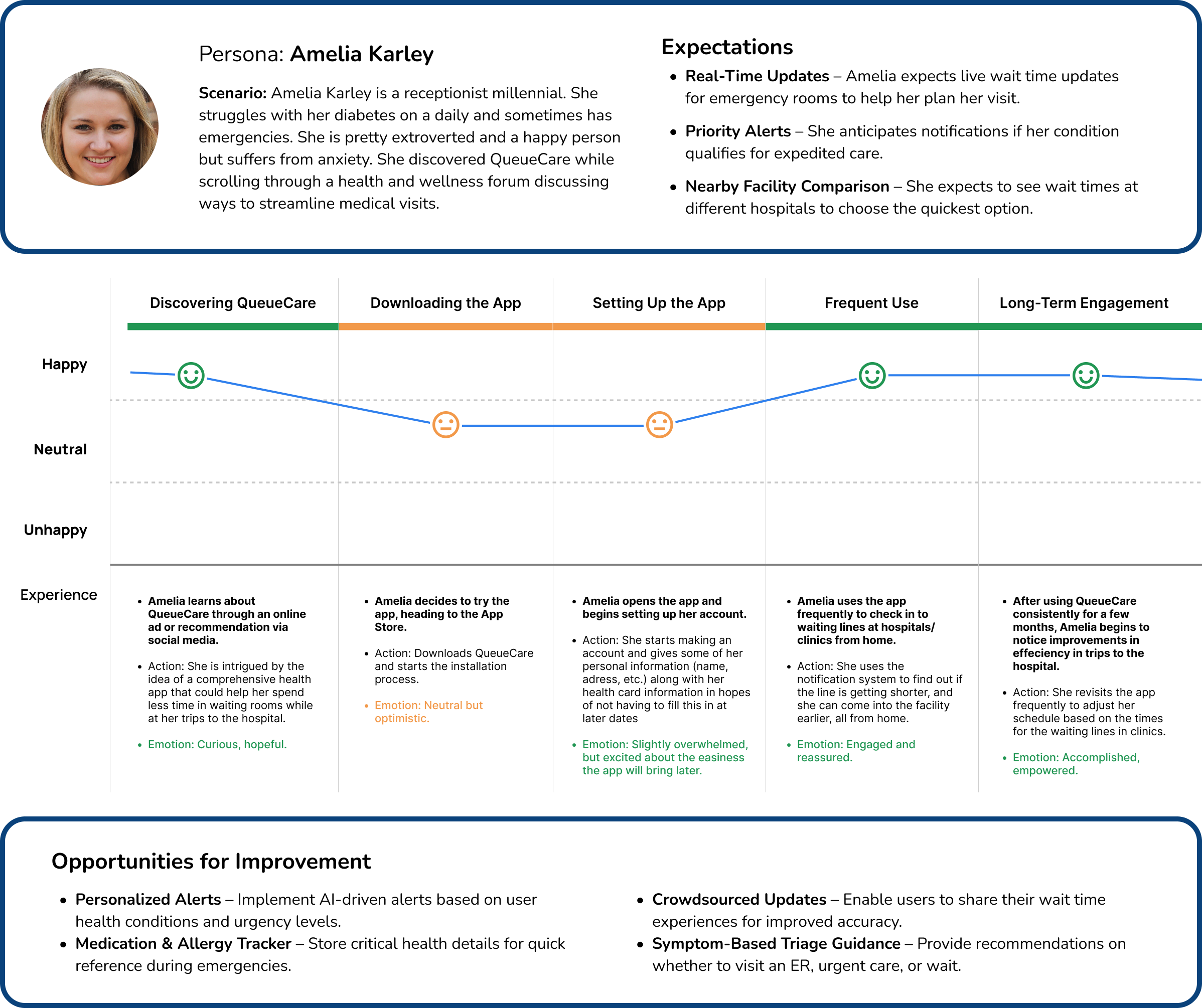
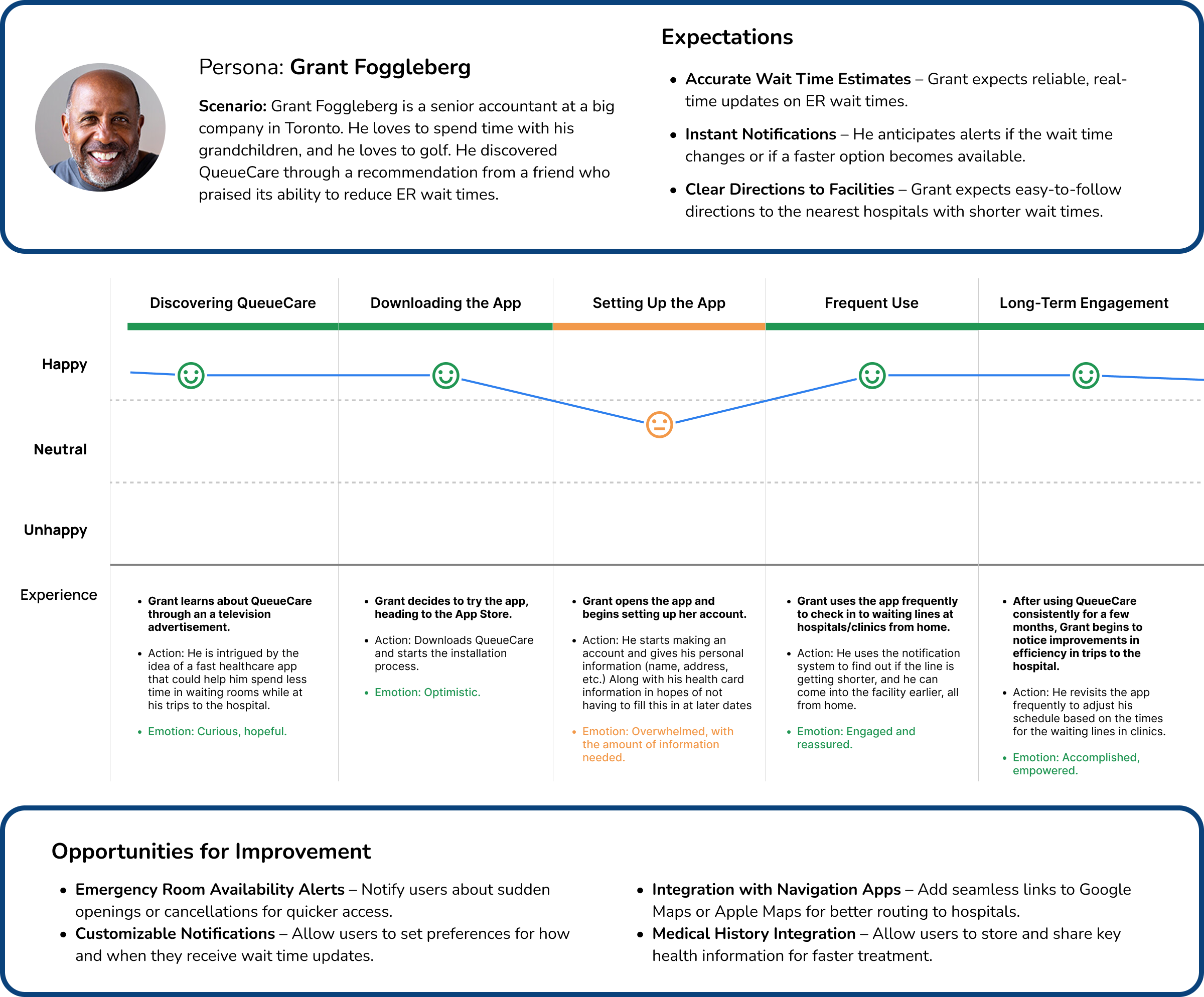
User Personas
Defining key user types to identify real life issues.
Design & Strategy Principles
Principles that Ensure accuracy, usability, and user confidence.
Potential Challenges
• Technical challenges: Accurate real-time integration
• Reliable symptom check and recommendations
• Trust and adoption: Convincing patients to trust the app and start using it
• Educating seniors and non-tech savvy users on how to use the app
• Robustness to support high demand or heavy traffic times
Considerations
• Collaboration with health care professionals during planning and implementation
• Highlight clinical research, app security, data protection and encryption, and positive patient reviews
• Make the interface intuitive, follow WCAG accessibility, include tooltips, and help docs
• Educating seniors and non-tech savvy users on how to use the app
• Partnering with API developers that can build plug-ins that can handle high traffic spikes
How other companies and Countries Have tried to Solved Similar Issues

Doctr
Pros: The Doctr app has a mission to simplify access to health services in Canada. It provides real-time ER wait times, helping patients make informed decisions with an easy-to-use interface.
Cons: Data accuracy depends on hospital participation, and it does not offer personalized medical advice.

PatientTrak
Pros: The patient tracking software enhances hospital efficiency by tracking patient flow, reducing wait times, and improving patient engagement. It is widely used in Nova Scotia hospital system.
Cons: Designed for hospital administration rather than patients and requires hospital participation and integration for effectiveness.
DocClocker
Pros: This app was created by medical physicians and allows medical providers to share real-time waiting room wait times with patients. It is widely used in American states such as Florida, Texas, and California.
Cons: Updates may not always be accurate, and its effectiveness depends on hospital participation.

CenTrak
Pros: CenTrak offers real-time location tracking for hospitals, improving patient experience and operational efficiency by providing actionable data insights. Hospitals use these insights to optimize ER capacity.
Cons: It is designed for hospitals not patients. It lacks direct patient-facing features and has complex IT integration.
Wireframes, Sketches, & Moodboard
The evolving visual language: Hi-Fi Screens, Logo Concepts, and Moodboard.
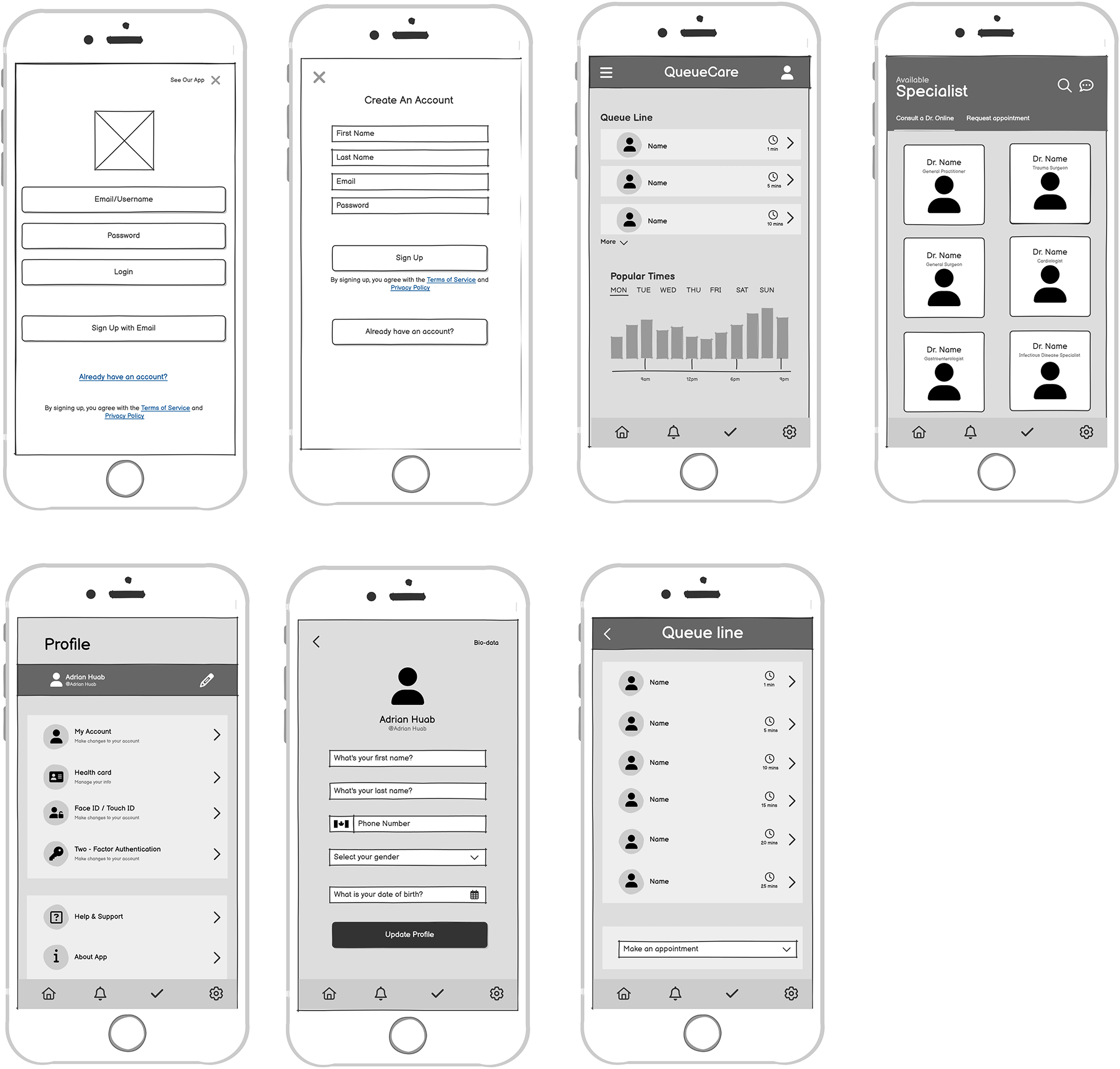

Mood Board
A visual exploration of colors, fonts, and styles that capture the essence of the Queue care. The goal of this board is to create a guide for the aesthetic and emotional tone of the user experience.
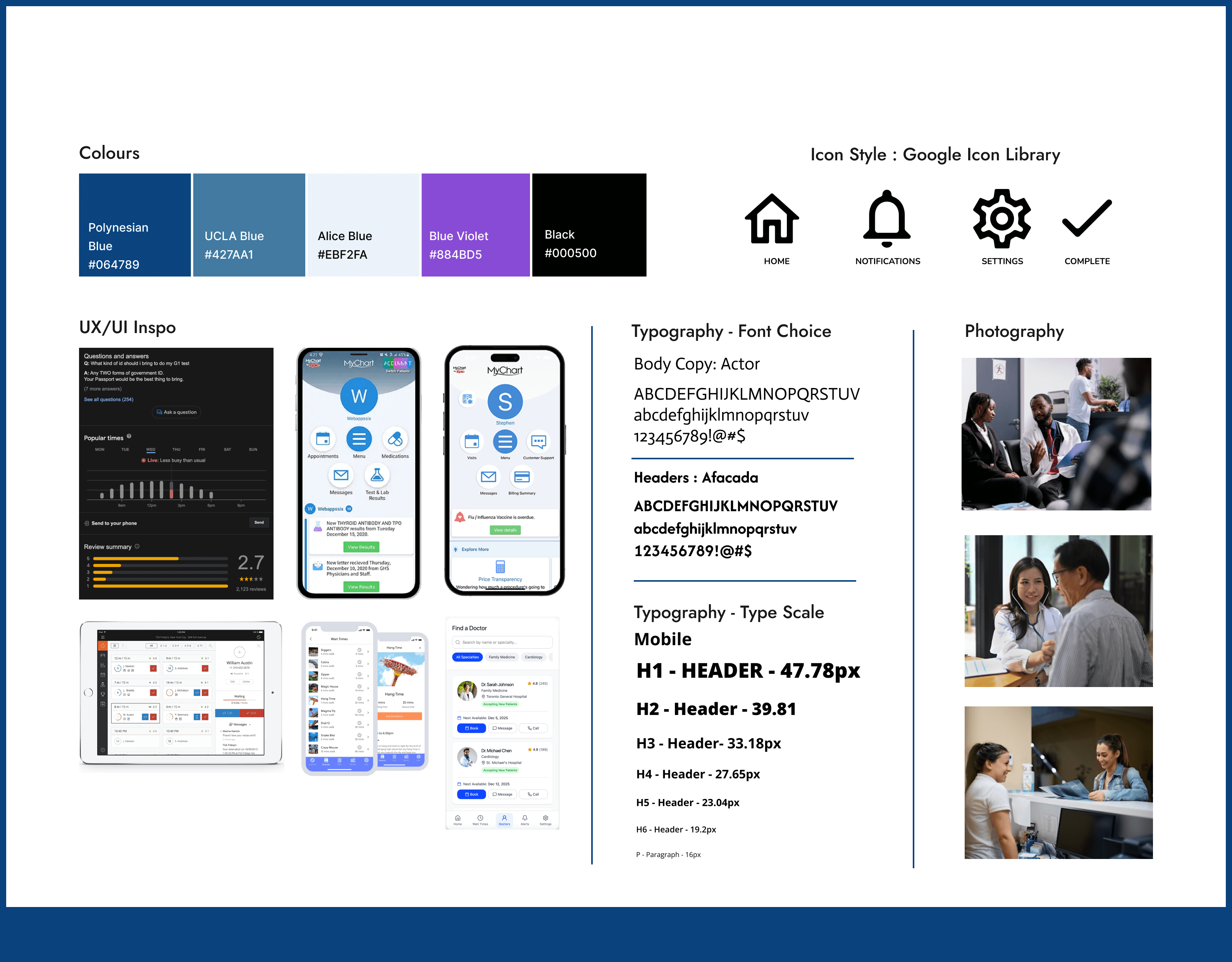
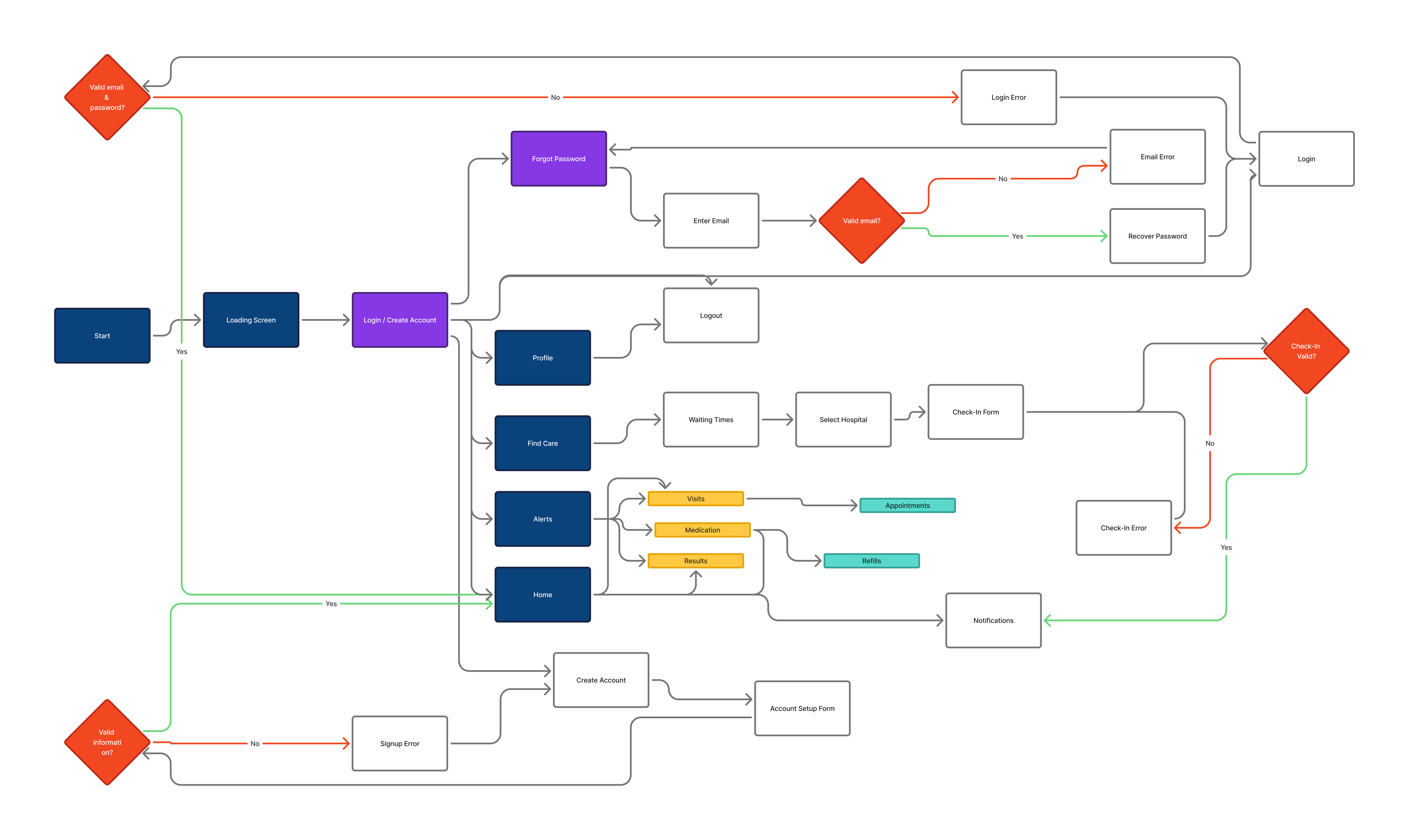
System Map
A visual exploration of colors, fonts, and styles that capture the essence of the Queue care app. This board defines the overall mood, guiding the aesthetic and emotional tone of the user experience.
Group Guidelines
This focus group research was conducted February 6, 2025 at 7:00pm. For the full focus group research details view the case study files.
Participants
Questions
Focus Group Summary
The feedback highlights a strong demand for real-time hospital wait time updates, as users find long waits frustrating and often struggle with deciding whether to visit the ER or seek alternative care. Respondents expressed willingness to use alternative options like tele-health if guided by the app, but many struggle with understanding medical terminology and making informed decisions. Trust in wait time data would build over time through accuracy and consistency, and users prefer customizable notifications for significant changes. Additional requested features include a symptom checker, live chat with a doctor, and a hospital locator to improve accessibility and decision-making. Overall, a well-designed app with real-time updates, clear medical guidance, and personalized alerts could significantly enhance the healthcare experience and reduce unnecessary ER visits
Download Case Study FilesApp Interface
The app feels cluttered and outdated, with confusing navigation, small controls, and laggy interactions. Key features are buried, presets are limited, and the overall design lacks the polish of modern smart-home apps.
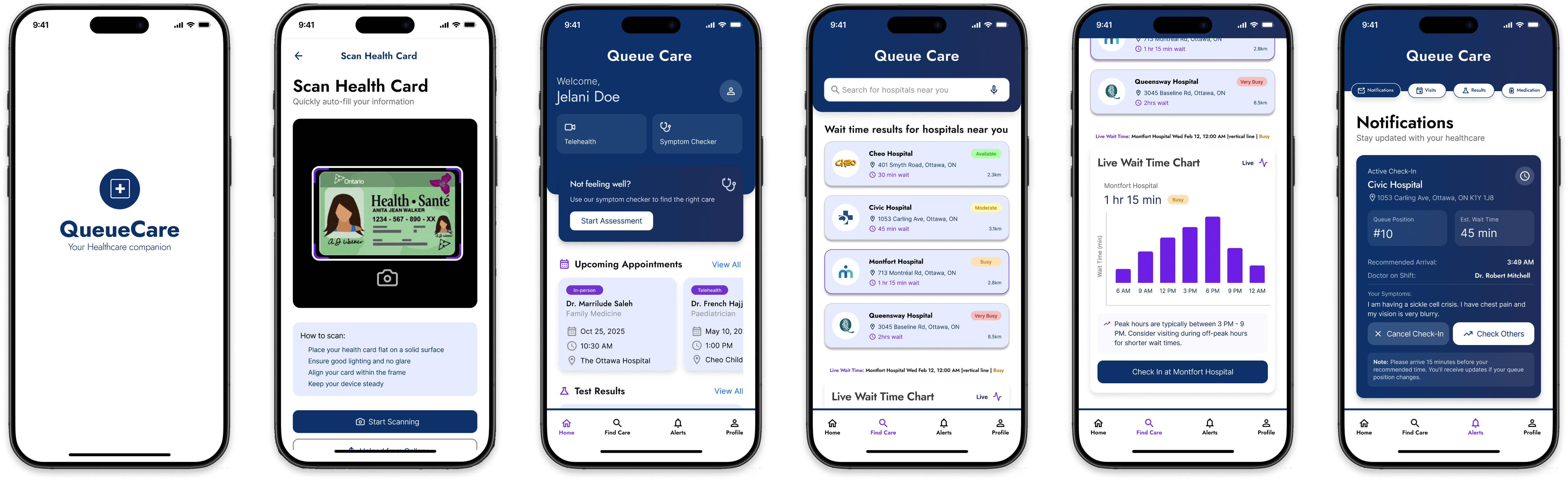
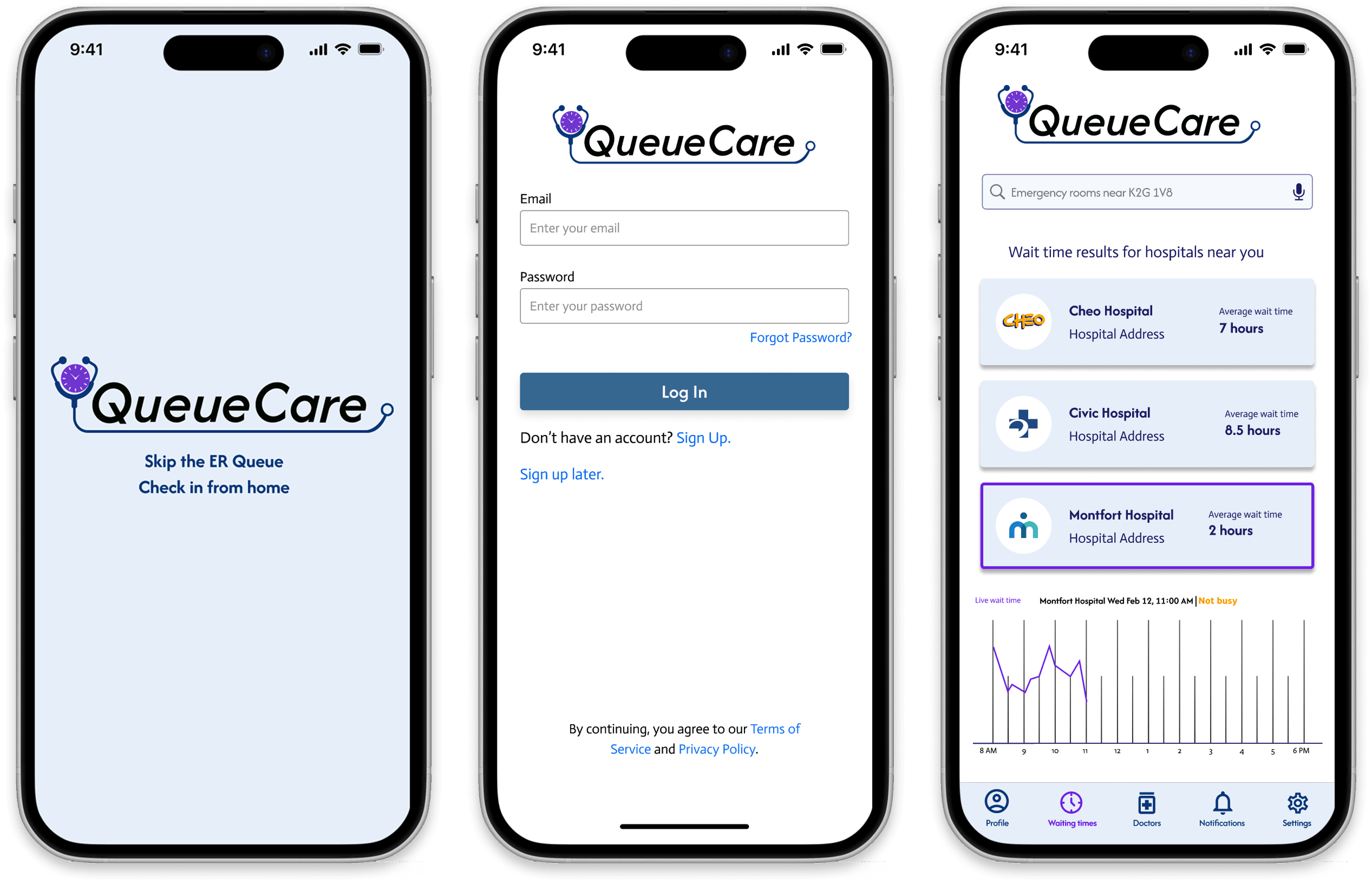
Image Gallery
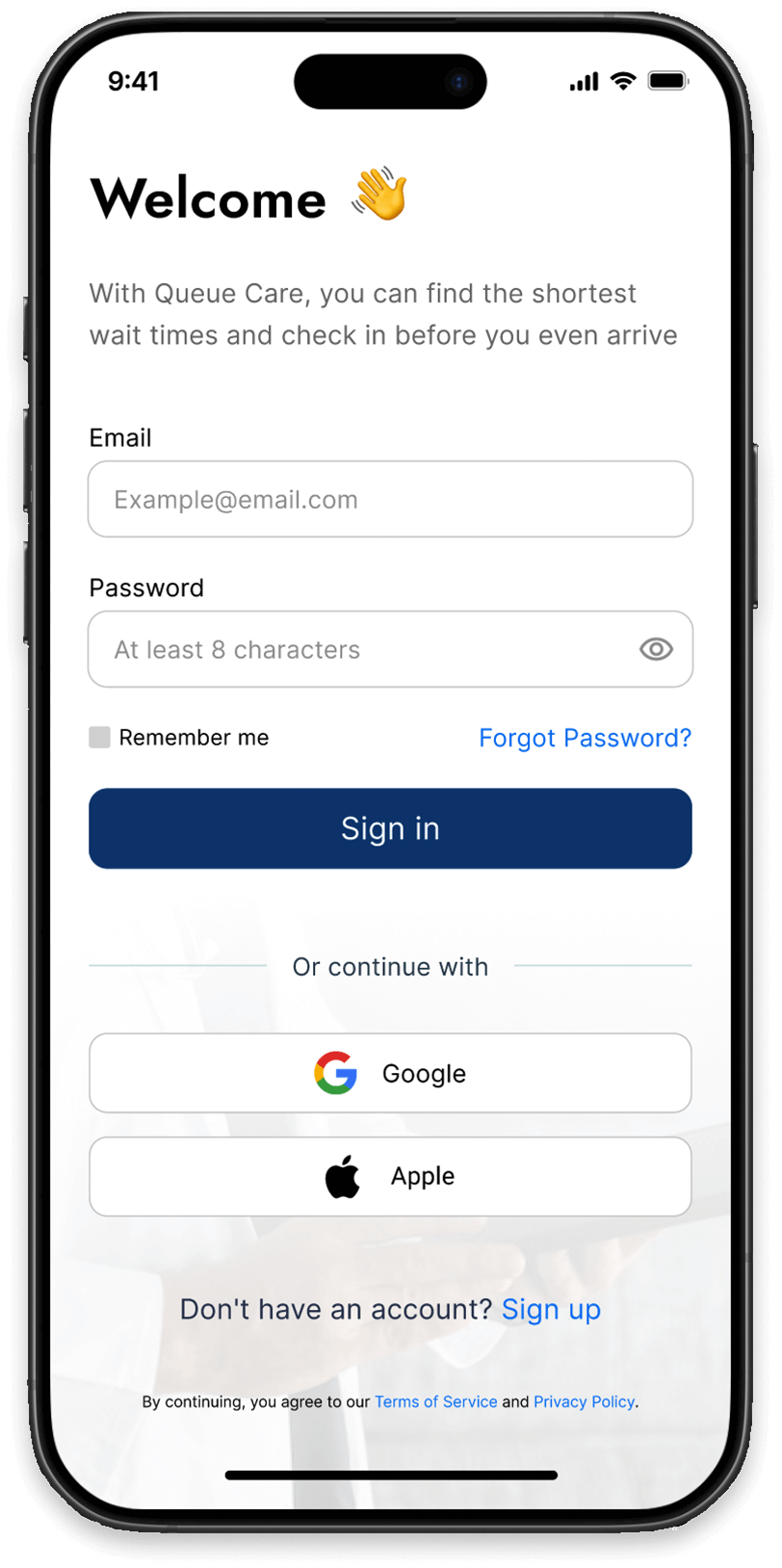
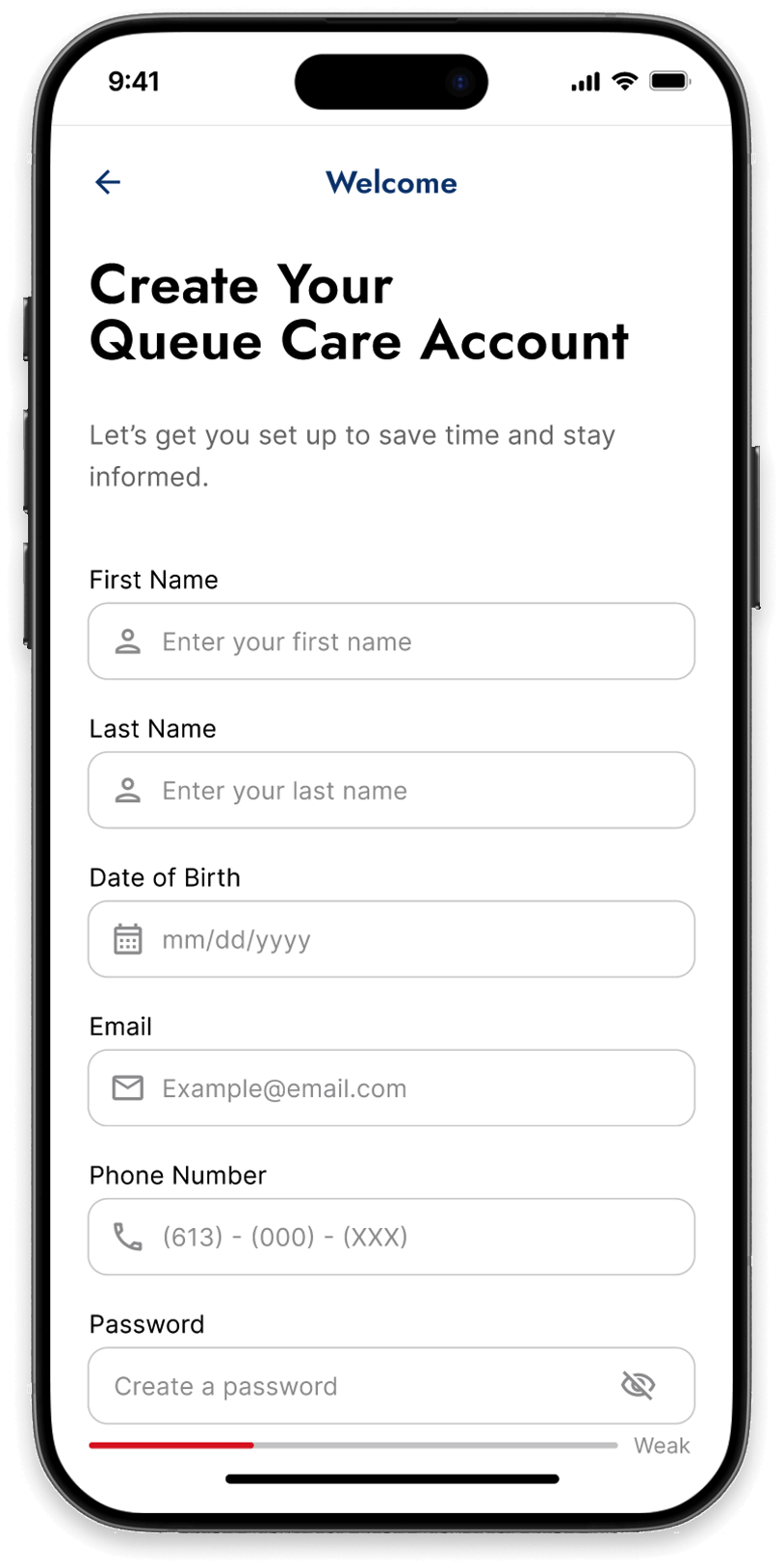
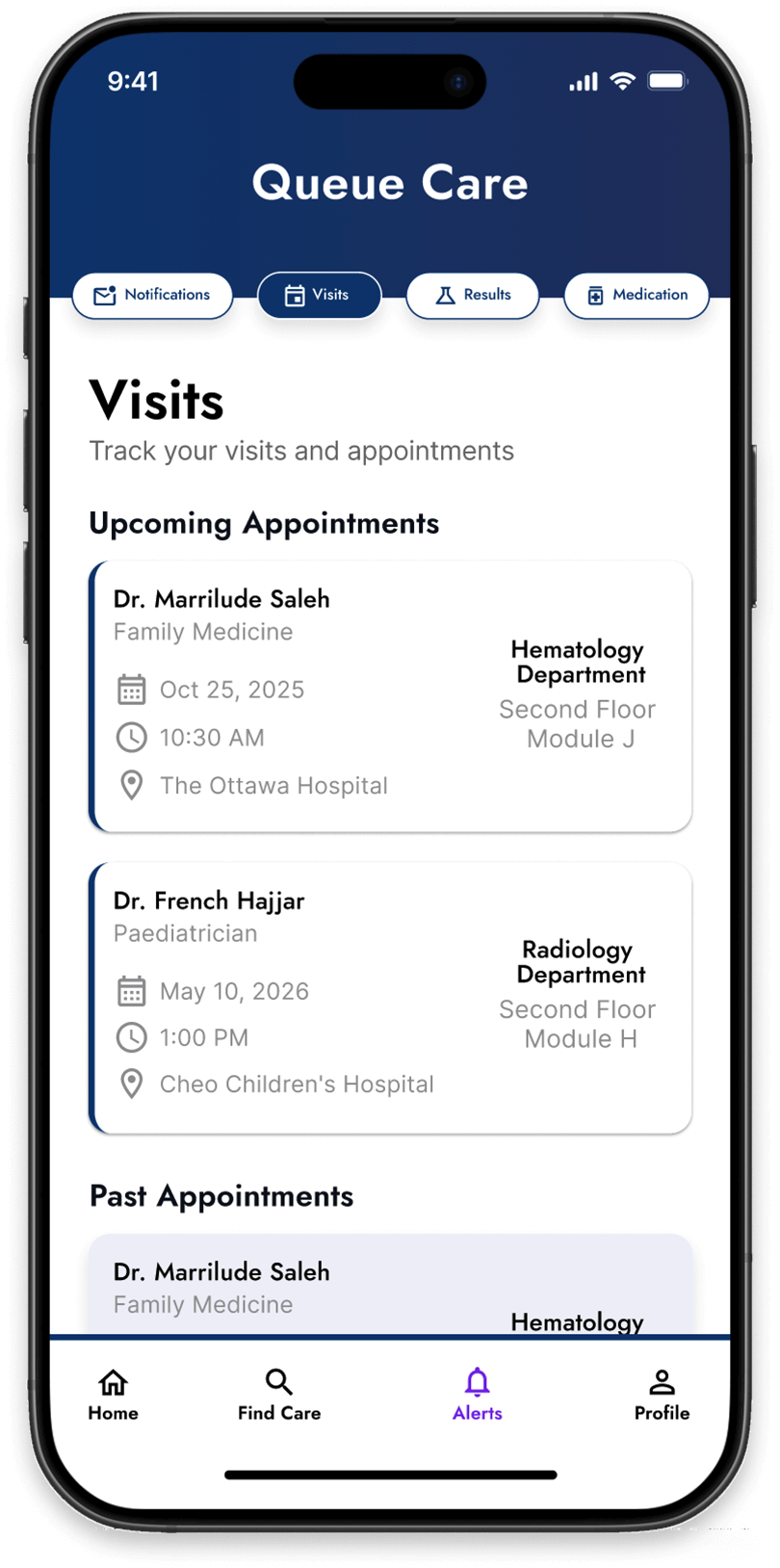
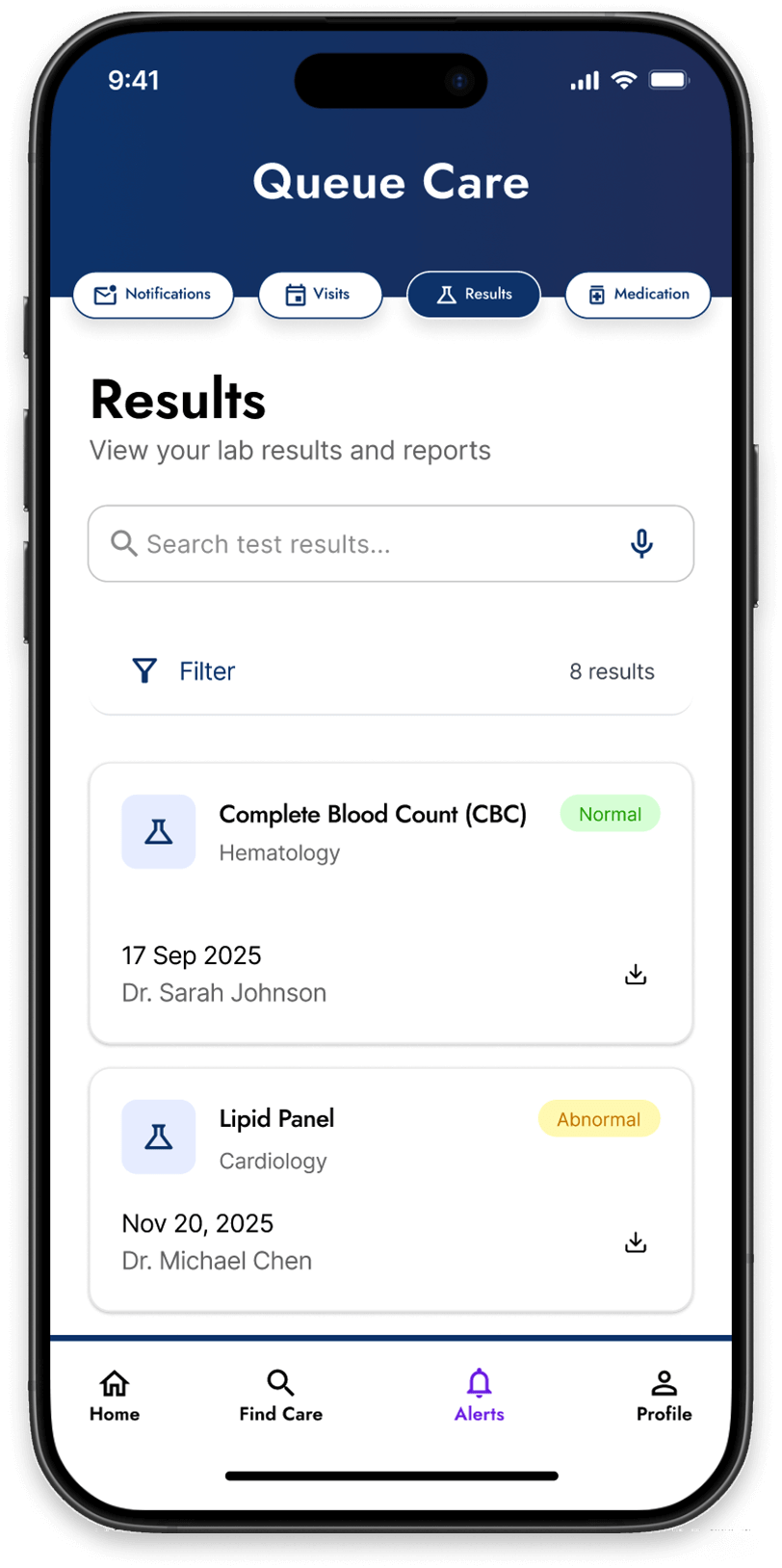
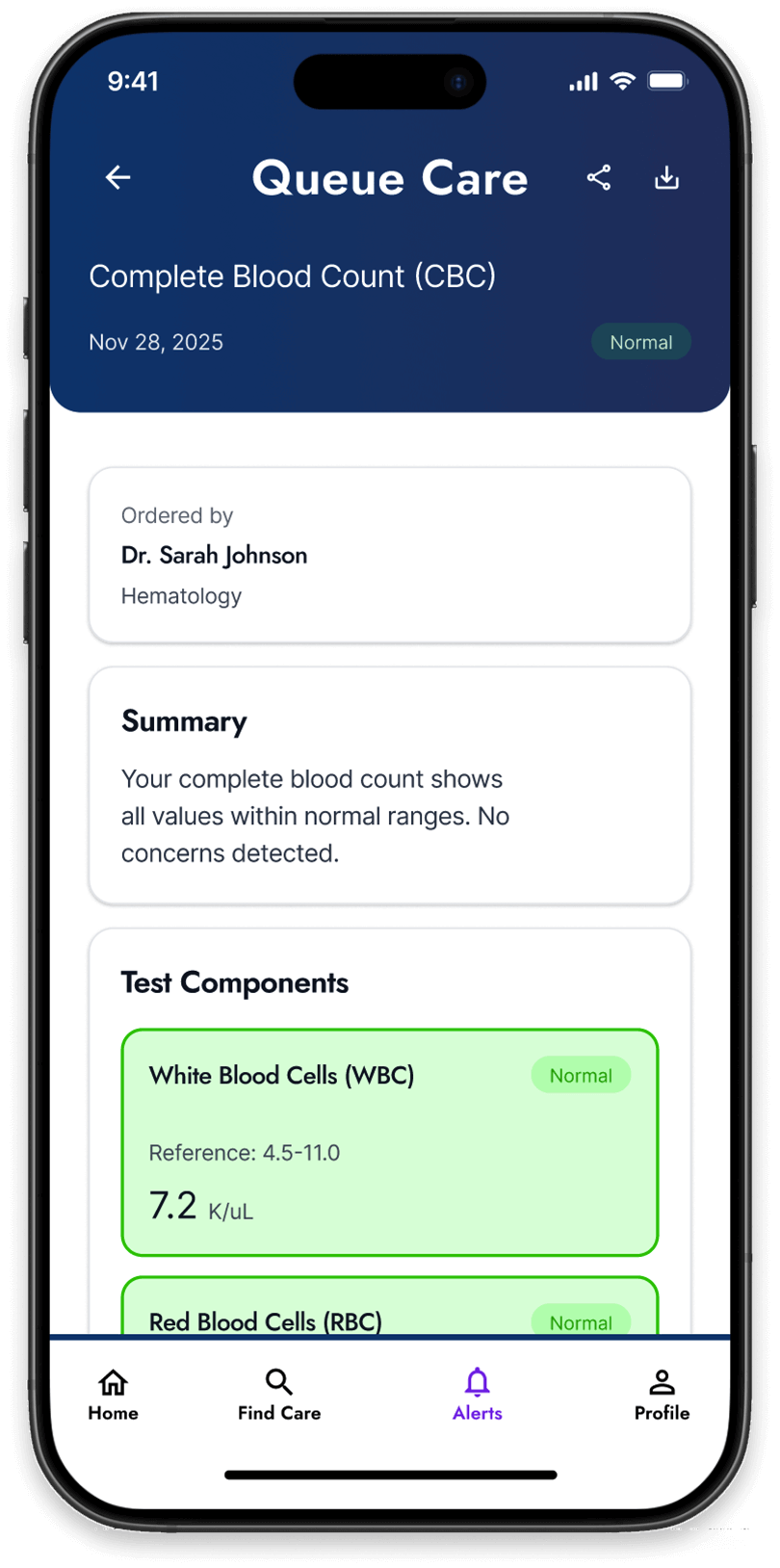
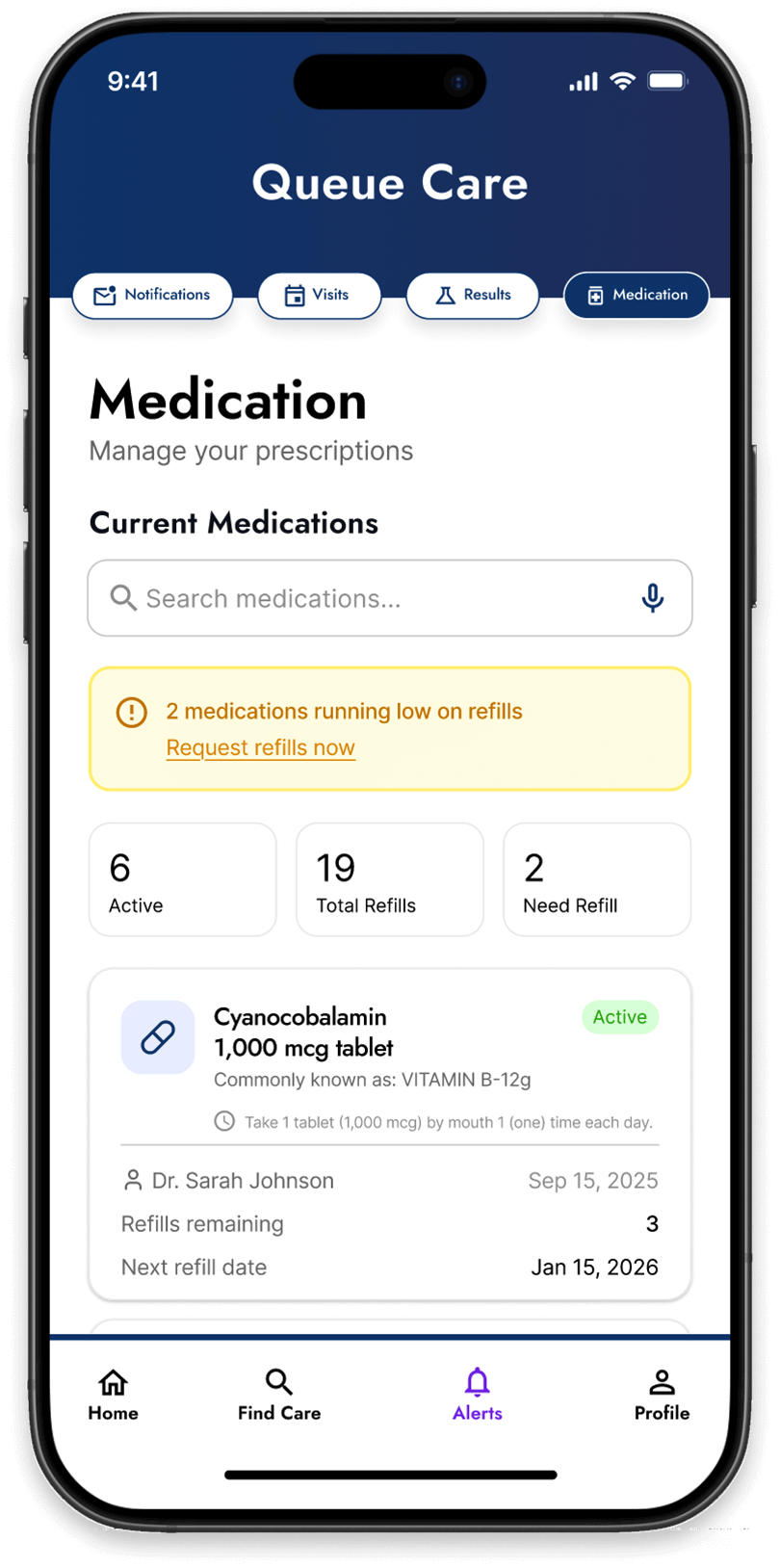
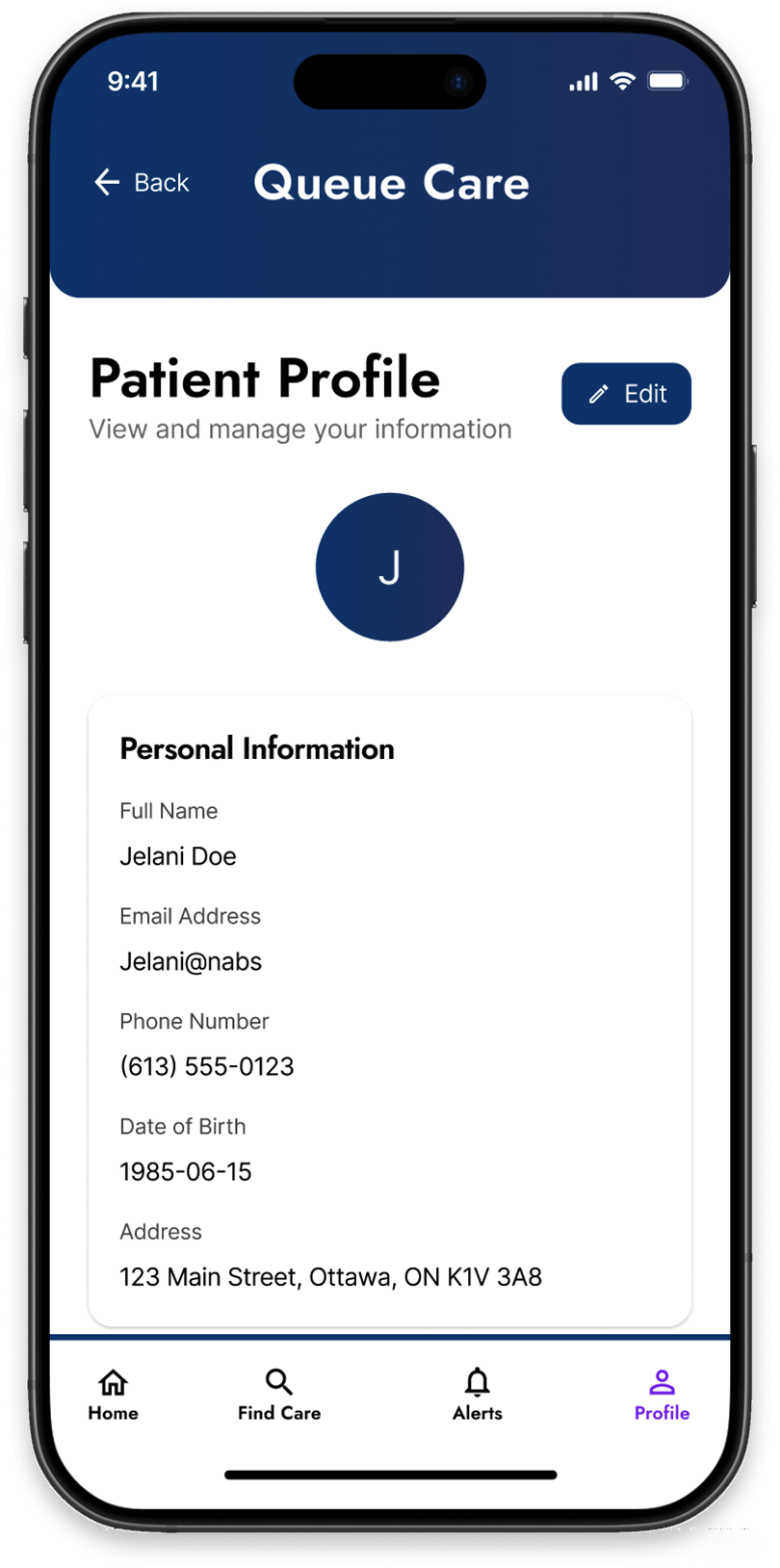
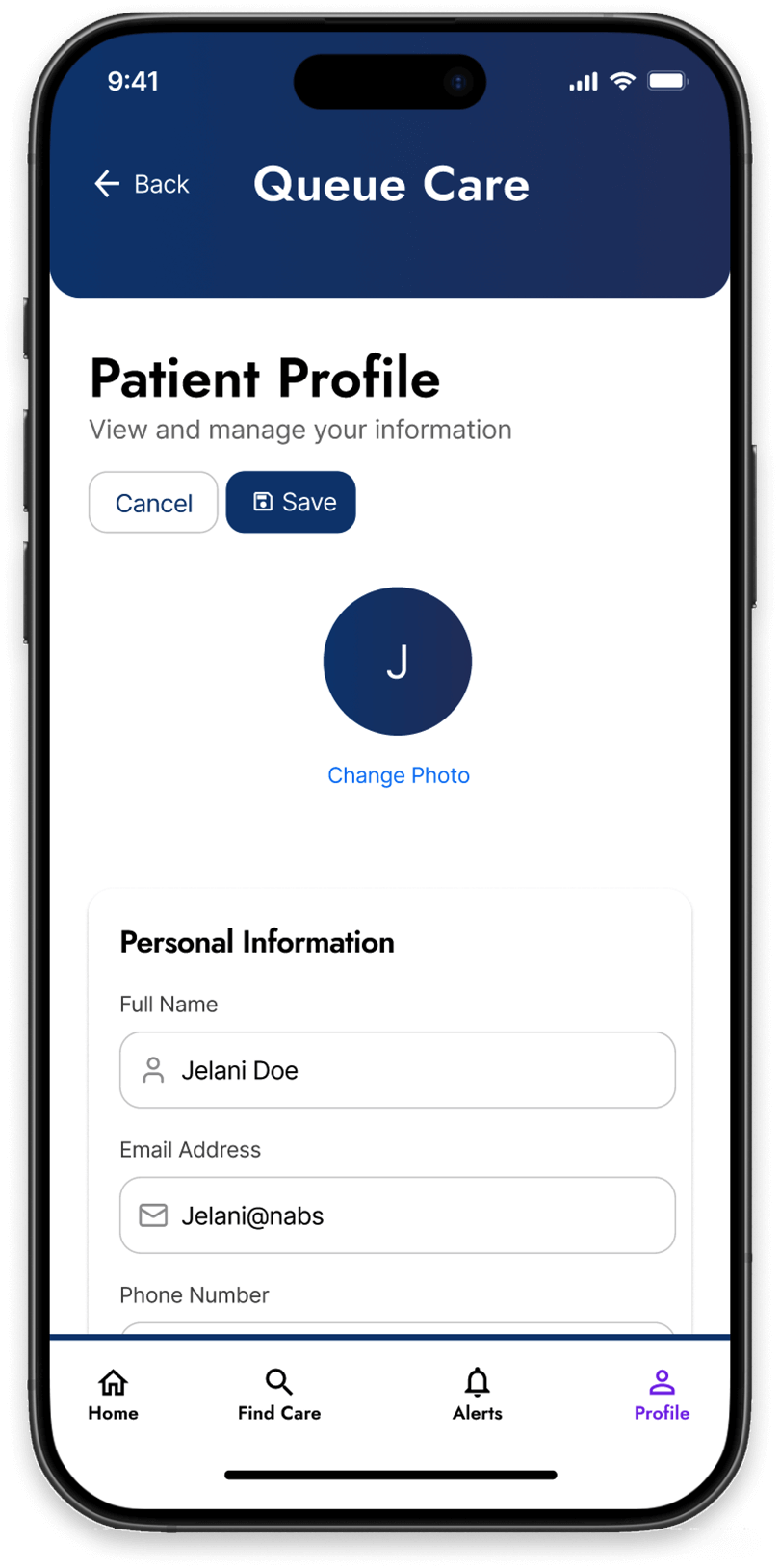
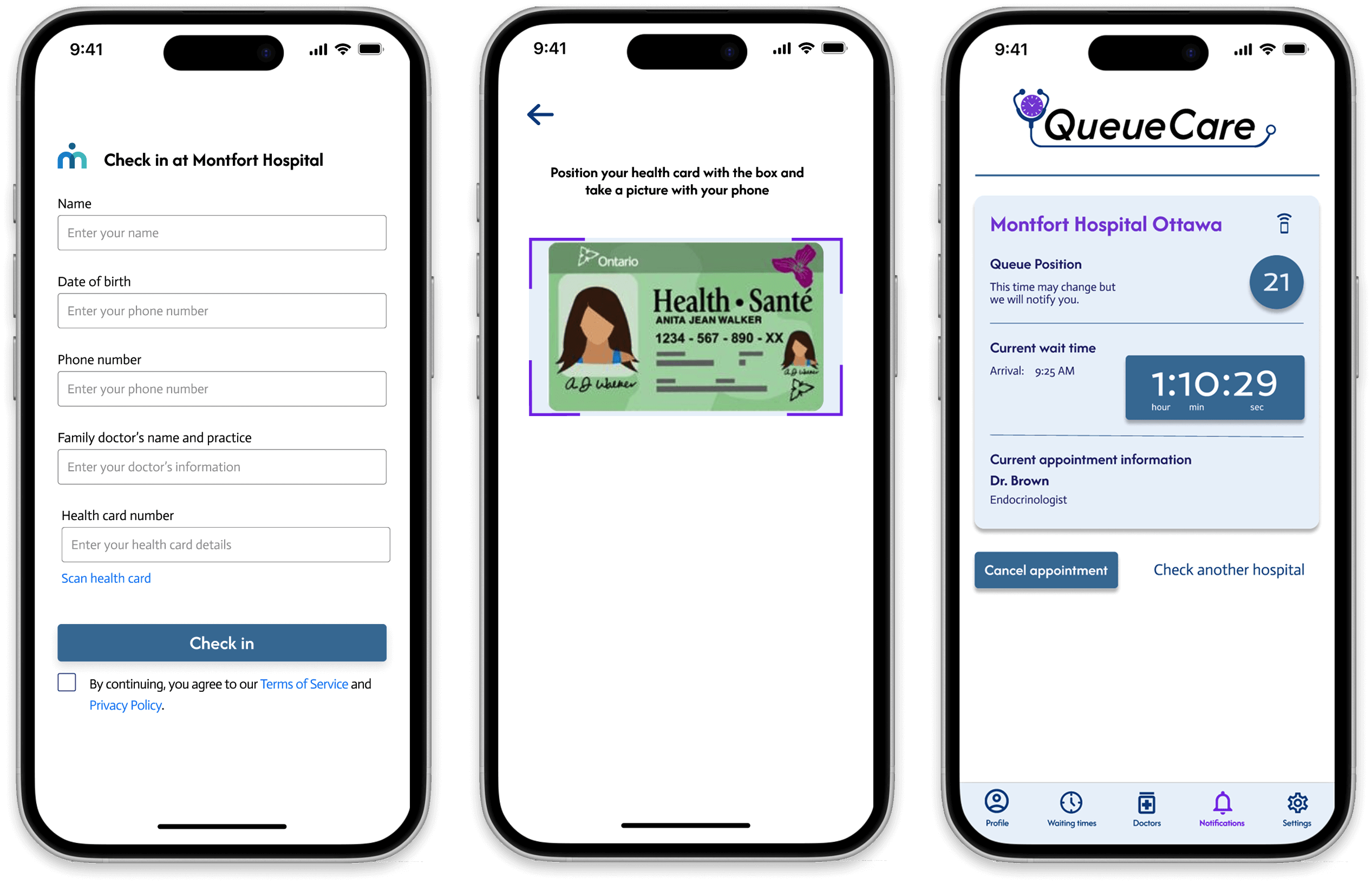
All QueueCare Hi-Fi screens